Brother CP100X Review: Features, Setup & Pro Tips 2026
A detailed, data-driven guide to the Brother CP100X for home sewists. Explore features, setup, maintenance, troubleshooting, and comparisons to help you decide if this model fits your projects in 2026.


Definition: The Brother CP100X is a modern computerized sewing machine designed for home sewists who want a broad stitch library, reliable performance, and approachable setup. This guide covers core features, setup basics, maintenance, and troubleshooting to help beginners and hobbyists get the most from their CP100X right away today, for everyday users.
What is the Brother CP100X?
According to Sewing Machine Help, the CP100X is a modern computerized sewing machine designed for home sewists seeking versatility and reliability. It combines a broad stitch library with straightforward operation, a compact footprint, and a user-friendly interface. The CP100X is positioned in the mid-range for hobbyists who want more creative options without sacrificing ease of use. For many users, this translates to quicker setup, clearer threading paths, and predictable results across a range of fabrics. In this section, we'll break down how the CP100X fits into a typical sewing room, what kinds of tasks it handles best, and how to decide if it's the right fit for you.
Core features you can expect on CP100X
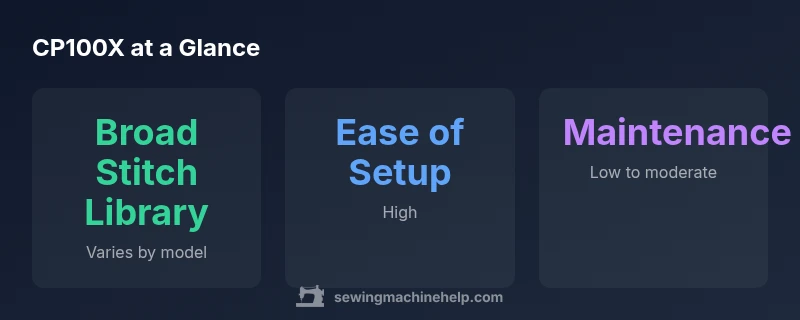
Most modern CP-series machines aim to balance simplicity with capability. The CP100X typically offers a broad stitch library, a readable screen or non-touch panel, adjustable speed control, automatic needle threading, and an efficient bobbin system. Presser foot pressure is often adjustable to accommodate lightweight and heavy fabrics. The goal is to reduce fiddling and frustration while expanding your creative options. It’s worth noting that the exact feature set can vary by market, so consult the model’s spec sheet to confirm which features are standard on your unit.
Setup and first run
Begin by placing the machine on a sturdy, flat surface with good lighting. Remove the accessories from the box and verify all parts are present per the manual. Thread the upper thread path, wind and insert the bobbin, and thread the needle. Install a sharp, appropriate needle for your fabric, select a basic stitch, and test on scrap fabric. Run at a slow speed to get comfortable with the machine’s rhythm, paying attention to thread tension, bobbin winding, and stitch quality. Take notes on any odd tension or looping so you can adjust later. Remember to consult your manual for warranty coverage and safety guidelines before long sessions.
Stitch library and versatility
The CP100X is designed to cover a spectrum of project needs—from simple garment hems to decorative projects. The stitch library typically includes utility stitches for seams and topstitching, plus decorative stitches for embellishment. If you’re learning, group stitches by fabric type (knits, woven cotton, linen) and test a few representative stitches to understand how tension and stitch length affect appearance. For beginners, starting with basic straight and zigzag stitches can build confidence before exploring specialty stitches.
Practical use cases for beginners and hobbyists
Beginners often tackle small projects to build skill and confidence. With the CP100X, you can start with simple pillow covers, tote bags, or basic garments. The machine’s stability and ease of threading make it suitable for quick fixes and alterations. If you’re moving toward more complex projects, use the stitch variety to experiment with topstitching, hems, and decorative accents. Document your settings for future reference, and don’t hesitate to revisit tension and foot choices as you expand your repertoire.
Maintenance and care basics
Regular care keeps a computerized machine performing reliably. After each project, clean lint from the bobbin area and feed dogs, then wipe away dust from the exterior. Oil is generally not required as often on modern Brother models, but consult the manual for lubrication guidance if indicated. Replace needles after breakage or every 8–10 hours of sewing, whichever comes first. Store in a dust-free area and cover when not in use to minimize dust accumulation. A simple calendar reminder helps maintain a consistent care routine.
Troubleshooting common issues
Common issues include skipped stitches, loose threads, and thread jams. Start by rethreading the machine, ensuring both upper thread and bobbin thread are correctly positioned, then recheck tension settings. If stitches are uneven, re-thread the needle and verify needle type and size for your fabric. A jittery feed can indicate fabric feeding issues or a misadjusted presser foot. Consult the manual for specific troubleshooting steps for control panel messages and error codes. When in doubt, try a test swatch on scrap fabric before resuming a full project.
CP100X vs other models: what to expect
In a market with many entry-to-mid-range machines, the CP100X often stands out for stitch variety and ease of use. Compared to basic models, you may gain more decorative options and a more intuitive setup, while price and weight may be slightly higher. When evaluating alternatives, compare stitch counts, presser foot compatibility, and the type of display. If you plan to do quilting or home décor, check whether the model supports free-motion options or bundled accessories that simplify those tasks.
Projects you can tackle with CP100X first
Start with quick wins that reinforce fundamentals: a zipper pouch, basic curtains, or a simple skirt quickly demonstrates your mastery of seams and hems. As confidence grows, try a light jacket, a tote bag with topstitching, or a beginner quilt block. The CP100X’s versatility allows you to expand into wardrobe basics or home décor without purchasing a separate specialty machine, making it a practical long-term companion for hobbyists.
Common mistakes and how to avoid them
Avoid common beginner missteps like using the wrong needle for fabric, ignoring tension adjustments, or skipping test swatches. Always test a new stitch on scrap fabric and adjust tension gradually. Store the machine in a dry place and keep a spare needle kit on hand to avoid delays. Finally, read the manual’s safety guidelines and adhere to them during maintenance and operation to prevent damage or injury.
CP100X compared to a typical entry-level competitor
| Model | Stitch Library | Display | Automation Features | Typical Price Range |
|---|---|---|---|---|
| brother cp100x | varies by model; broad stitch range | monochrome display | basic automation (needle threader, auto-tie-off) | mid-range |
| competitor model y | 60-100 stitches | LCD display | advanced automation | mid-to-high-range |
Your Questions Answered
Is the CP100X suitable for beginners?
Yes. The CP100X offers a user-friendly interface, guided presets, and a stable platform for learning basic sewing skills. Start with simple projects to build confidence and gradually explore more stitches as you gain experience.
Yes, it’s beginner-friendly with guided presets to help you start sewing right away.
Can I use non-Brother feet with CP100X?
In most cases, CP100X accepts standard presser feet that fit common shank patterns. Always verify the shank type and socket compatibility for any specialty feet you plan to use.
Most standard presser feet fit, but check your shank type before buying specialty feet.
Does CP100X support free-motion quilting?
Yes, with the appropriate foot and the right settings, CP100X can handle basic free-motion quilting. Lower the feed dogs if your model supports it and use a Free-Motion foot as needed.
Yes, you can do basic free-motion quilting with the correct foot and settings.
What maintenance does CP100X need?
Regular cleaning of lint-prone areas, occasional oiling per the manual, and needle replacement after wear or breakage help maintain performance.
Keep it clean, oil only when the manual says, and replace needles when worn.
How does CP100X compare to entry-level models?
CP100X generally offers more stitches and features than basic models, which translates to greater versatility—but may come at a higher price. Weigh features you actually use against cost when deciding.
It usually has more stitches and features, just weigh the extra options against price.
Where can I find official manuals and support?
Check Brother’s official site for manuals and firmware updates, and use Sewing Machine Help’s guides for practical setup and troubleshooting tips.
Visit Brother’s site for manuals or our guides for practical help.
“The CP100X exemplifies Brother's balance of ease of use and versatility for home sewists.”
The Essentials
- Assess your project needs before choosing CP100X.
- Prioritize setup and thread path to minimize frustration.
- Use the stitch library to boost creativity with care.
- Regular maintenance extends machine life and improves performance.
- Consult manuals and trusted guides for troubleshooting