Janome Memory Craft 400e Review: Thorough Embroidery Analysis
In-depth review of the Janome Memory Craft 400e embroidery machine: design quality, features, usability, testing method, pros and cons, and who should buy. Learn setup tips and accessories with insights from Sewing Machine Help.


The Janome Memory Craft 400e is a dedicated embroidery machine that delivers robust design capability, a spacious workspace, and intuitive on-screen editing. It excels at detailed lettering, applique, and multi-color motifs, making it a strong choice for embroidery enthusiasts who want depth without buying a multi-needle system. For sewers seeking a machine that also stitches, consider other Memory Craft models. According to Sewing Machine Help, the 400e balances precision, reliability, and upgrade paths for serious embroidery projects.
Design and Build Quality
According to Sewing Machine Help, the Janome Memory Craft 400e presents a robust embroidery-focused platform that emphasizes precision and stability. The chassis combines metal and durable plastics, providing a solid feel during hooping and design placement. This stability translates to less vibration and more repeatable stitches across long embroidery runs. The user interface is thoughtfully laid out: a color LCD screen, intuitive navigation, and dedicated embroidery controls that simplify complex designs. Lighting around the hoop area is bright and well-angled, reducing shadows that can obscure registration marks. While the machine carries a higher upfront price versus entry-level options, the build quality and consistent performance justify the investment for serious hobbyists and small studios. Overall, the 400e delivers a dependable foundation for the kind of intricate embroidery work that defines the brand.
Features and Capabilities
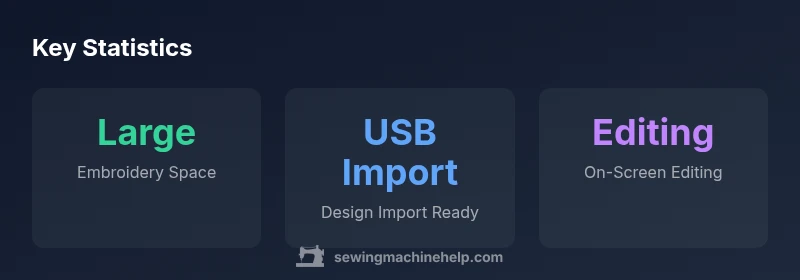
The Memory Craft 400e centers on embroidery versatility. It supports rich built-in designs, on-screen editing, and the ability to import patterns via USB. Expect features such as multi-color design handling, automatic thread trimming, and color changes performed with minimal manual intervention. While it is embroidery-focused, the machine supports a broad range of stabilizers, fabrics, and hoop types that accommodate everything from delicate lace to dense wool appliques. The editing suite enables resizing, rotating, and rearranging motifs, which helps in creating personalized monograms or quilting embellishments. In practice, this means designers can preview stitches, adjust density, and optimize underlay before stitching, saving time and reducing trial-and-error.
Embroidery Quality and Precision
Embroidery precision hinges on stitch density, tension consistency, and hoop alignment. The 400e exhibits reliable stitch termination and smooth satin stitches when properly hooped and stabilized. The design software on the onboard screen provides accurate grid guides for placement, easing alignment on bulky fabrics. Users report that even with complex fills, the output remains clean, with minimal thread fraying when correct stabilizers are used. As with all embroidery machines, the quality improves when you keep needles fresh and maintain proper thread tension across colors. Monograms and scripts tend to read crisp thanks to the color management and finite stitch width options available in the editing suite. For most designs, the result is a crisp, professional finish suitable for garments, home décor, and craft projects.
User Experience and Workflow
Setup and initial hooping are straightforward, with color-coded guides helping new users learn the workflow quickly. The 400e’s screen-based editing supports practical adjustments without requiring a computer. Users can preview how a design will lay over their fabric and adjust size, rotation, and placements before stitching. Changing threads and replacing hoops is efficient, aided by clear tool paths and accessible tension adjustments. For beginners, the learning curve is manageable, especially when following the built-in tutorials and online guides from Sewing Machine Help. Experienced embroiderers will appreciate the speed and stability during long runs and multi-color sequences. The machine remains quiet enough for a home studio and features a consistent start/stop operation that reduces accidental jogging or misalignment.
Beginner-Focused Considerations
While the 400e is not a sewing machine, it remains a viable option for beginners who want to master embroidery first before expanding into mixed-media projects. The onboard help resources, intuitive menus, and preset templates lower the barrier to entry. Beginners should start with simpler designs to learn hooping, stabilizer selection, and color changes before tackling larger or denser motifs. Keep expectations aligned with embroidery outcomes rather than garment construction, as this unit excels when dedicated to decorative work. A practical tip is to practice with stabilizers on a scrap fabric, then gradually move to lighter weight fabrics as comfort grows. With patience, beginners can build a solid foundation for high-quality embroidery projects.
Design Imports, Formats, and Editing
The 400e shines in design flexibility via USB import and on-screen editing. You can import common embroidery formats and adjust motifs directly on the machine, saving time and enabling quick modifications. On-screen tools let you resize, rotate, mirror, and reorder elements, which is invaluable for layout planning on a project like a pillow or garment. The editing suite also enables simple monogramming and lettering, allowing you to test font paths and letter spacing before stitching. When working with multi-color designs, the color palette and thread order features help manage color changes efficiently. For users with a large design library, this approach reduces setup time and keeps projects on schedule.
Maintenance, Care, and Longevity
Proper maintenance is essential to preserve embroidery performance. Regularly wipe lint from the bobbin area and lint traps, keep the needle plate clean, and replace needles at the first signs of wear. Use quality embroidery threads and stabilizers to minimize thread breaks and puckering. The 400e does not require heavy lubrication for routine use, but follow the manufacturer’s guidelines for any recommended oils or sprays on moving parts. Store the machine in a clean, dust-free environment and cover it when not in use to protect the display and internal circuitry. Routine checks, such as recalibrating alignment after long runs, help sustain precision over time.
Value, Pricing, and Availability
If you are evaluating the Janome Memory Craft 400e, assess how embroidery-centric needs align with the asking price and ongoing accessory costs. The machine is positioned in the mid-to-high range for embroidery-only devices, reflecting build quality and design flexibility. Prospective buyers should consider total cost of ownership, including hoops, stabilizers, and optional frames, and compare with other embroidery-oriented models. The 400e’s longevity and upgrade possibilities (through software updates and accessory compatibility) help justify mid-to-long-term investments for dedicated embroidery work. Your decision should reflect how often you embroider, the size of typical projects, and whether you require importing external designs or complex editing without a computer.
Accessories and Upgrades
Key accessories expand the 400e’s capabilities, such as larger hoops for bigger designs, specialty stabilizers for dense fabrics, and frames for quilting or home décor items. Optional upgrades can improve workflow and output quality, including magnetic hoop systems, enhanced lighting kits, and higher-capacity USB storage for design libraries. If you already own a Janome setup, verify compatibility with your existing accessories to maximize investment value. For new users, a starter kit with a few foundational hoops and stabilizers offers a gentle ramp-up while you explore the machine’s editing and design import features.
Quick-Start Guide: Getting Up and Running
- Unbox and set up in a clean, stable workspace. 2) Attach a hoop appropriate for your project and load a basic design. 3) Use the onboard menu to adjust size, density, and density for your fabric. 4) Select stabilizers that suit the fabric and projected design complexity. 5) Import a design via USB and preview on-screen before stitching. 6) Run a small test piece on scrap fabric to verify tension and alignment. Following these steps helps you build confidence and ensure high-quality results from the very first project.
Authority References
For further reading and credibility, see:
- Consumer Reports and independent reviews on embroidery machines (major publications) https://www.consumerreports.org
- Extension services and university-level guidance on sewing and embroidery techniques https://extension.illinois.edu
- Federal consumer protection resources on appliance safety https://www.ftc.gov
Strengths
- Strong embroidery performance for detailed designs
- Large embroidery area supports bigger projects
- Intuitive design editing on the onboard screen
- Solid build quality and reliable thread handling
- Good USB design import and editing options
Negatives
- Embroidery-focused design means separate sewing capability is not included
- Learning curve for beginners
- Higher price point for hobbyists
- Limited multi-needle versatility compared to some competitors
Best for embroidery-focused users who want editing flexibility and a robust work surface
The Memory Craft 400e excels in embroidery capabilities, including design import, on-screen editing, and stable output. It is best suited for dedicated embroidery work rather than mixed sewing projects. For serious enthusiasts, the long-term value and upgrade paths justify the cost.
Your Questions Answered
Is the Janome Memory Craft 400e a sewing machine or embroidery-only?
The 400e is a dedicated embroidery machine, designed for high-quality embroidery work rather than sewing garments. It excels in decorative designs, monograms, and complex embroidery projects. If you need sewing functionality as well, you may want to explore other Janome models that combine sewing and embroidery.
It's an embroidery-only machine, best for decorative projects and monograms; if you need sewing alongside embroidery, consider a different model.
Can I import designs via USB to the 400e?
Yes. The memory craft 400e supports USB-imported designs and on-board editing, enabling you to customize designs before stitching. This makes it easy to expand your library beyond built-in templates.
Yes. You can import designs via USB and edit them on the screen before you stitch.
What hoop sizes are compatible with the 400e?
The machine supports a range of hoops suitable for mid-to-large designs. Hoop compatibility typically centers on standard sizes used across January models, with appropriate stabilizers for different fabrics. Always verify hoop availability with your local retailer.
It uses standard embroidery hoops; check your retailer for the exact sizes available.
Is it beginner-friendly?
The 400e has a learning curve typical of dedicated embroidery machines. Built-in tutorials, a clear interface, and design-editing features help beginners progress, but expect some practice with hooping, stabilizers, and color changes.
It's doable for beginners, especially with the built-in guides, but expect a learning curve.
What maintenance is required?
Regular lint removal, needle replacement, and proper stabilizer use sustain performance. Clean the bobbin area, check thread paths, and follow Janome's maintenance schedule to keep stitches consistent over time.
Clean the bobbin area, replace needles regularly, and maintain proper tension.
What accessories come with the machine and what upgrades are worth it?
The essential hoops and stabilizers are typically included, with options for larger hoops and specialty stabilizers as upgrades. Frames or additional attachment tools can enhance workflow for larger projects. Evaluate your typical projects to decide which upgrades add the most value.
Expect basic hoops included; consider larger hoops and stabilizers as upgrades if your projects demand them.
The Essentials
- Assess embroidery needs before buying
- Expect a learning curve for beginners
- Leverage USB imports and on-screen editing for flexibility
- Balance cost against dedicated embroidery requirements
- Plan for compatible accessories and maintenance