Brother SE2000 Review: A Practical 2-in-1 Sewing & Embroidery Machine
An in-depth, balanced review of the Brother SE2000, a 2-in-1 sewing and embroidery machine. We evaluate ease of use, stitch quality, embroidery capability, setup, and value for hobbyists and beginners.


According to Sewing Machine Help, the Brother SE2000 is a capable 2-in-1 sewing and embroidery machine designed for hobbyists and beginners. It blends straightforward setup, a color touch display, and integrated embroidery designs with reliable sewing performance. While not the cheapest option, its all-in-one approach saves space and adds versatility for home crafters. For beginners, it offers guided stitches and friendly troubleshooting cues.
Overview and positioning of the Brother SE2000
The Brother SE2000 positions itself as a versatile entry point for hobbyists who want sewing and embroidery in a single machine. For home sewists, the appeal lies in saving space and simplifying setup while preserving the joy of hands-on projects. According to Sewing Machine Help, this model emphasizes approachable embroidery workflows without sacrificing reliable sewing fundamentals. If you’re weighing it against stand-alone embroidery machines or separate sewing machines, the SE2000 offers a compact, cost-effective compromise that keeps your workspace uncluttered while letting you explore two crafts at once. The value proposition centers on practicality: a single device to learn on, with room to grow into more complex designs as skills progress.
Design, build, and usability
The SE2000’s design emphasizes a practical, approachable build. The cabinet is compact and sturdy enough for regular home use, and the exterior finish remains clean after months of hobby projects. Controls are laid out logically, with the color touchscreen providing intuitive navigation for stitch selection and embroidery edits. While it isn’t a heavy-duty workhorse, the machine handles lightweight and midweight fabrics competently. In daily use, the balance between stability and portability makes the Brother SE2000 attractive for small studios and kitchen-table sewing rooms alike.
Embroidery capabilities and design library
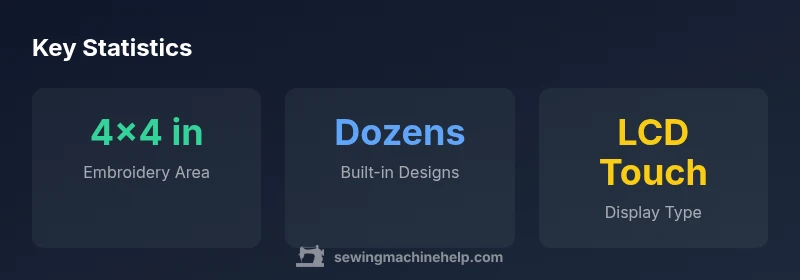
Embroidery is the core feature set of the Brother SE2000. The embroidery area is designed for small-to-medium motifs, typically around 4x4 inches, which works well for monograms, patches, and decorative accents. The built-in design library covers a range of simple motifs and lettering options to jump-start projects, with on-screen editing to resize, rotate, or combine designs before stitching. For designers who want more designs, you can transfer additional files via USB or compatible memory devices, expanding your creative options without purchasing a separate embroidery unit.
Sewing performance and stitch options
Sewing performance on the Brother SE2000 is reliable for everyday craft and garment projects. It provides a solid assortment of stitches, including utility and decorative options, with predictable feed and consistent needle penetration across common fabrics. Variable speed control helps manage thicker materials, while the presser-foot system supports standard attachments. For beginners, the breadth of stitch families offers a gentle ramp into advanced techniques like topstitching, appliqué, and learning to match stitches to fabric types. Overall, the balance between ease of use and versatility is a core strength.
User interface, setup, and learning curve
A color LCD touchscreen guides you through setup steps and thread paths, which reduces guesswork during initial use. Threading is straightforward with clearly labeled guides, and the drop-in bobbin simplifies loading. The learning curve is especially gentle for newcomers due to built-in tutorials and guided projects. Experienced hobbyists will appreciate quick access to saved stitches, embroidery settings, and customization options, which help speed up repetitive workflows during longer sewing sessions.
Maintenance, care, and troubleshooting basics
Routine maintenance for the Brother SE2000 is straightforward. Regular cleaning of lint from the bobbin area, occasional needle changes, and using quality thread help maintain stitch quality. If you notice tension issues or skipped stitches, a quick check of threading and bobbin alignment usually resolves most problems. The design prioritizes clear guidance on maintenance steps, making it feasible for beginners to develop good care habits without extra tooling or external support.
Accessories and included features
Standard packages typically include essential presser feet (zigzag, zipper, and buttonhole), a starter embroidery hoop, and basic printing or instructional materials. The bundle keeps entry costs reasonable and provides a solid foundation for learning both sewing and embroidery. As users grow, adding larger hoops or specialty feet becomes the natural next step to expand capabilities and project types.
Real-world projects and beginner workflows
For beginners, practical projects such as monogrammed towels, personalized napkins, or decorative patches help build confidence quickly. The embroidery function enables a direct-on-fabric workflow, while the sewing side supports basic garment repairs and alterations. A practical workflow is to design the embroidery first, then sew the fabric, so setup times are minimized and creative output stays high.
What to consider before buying
Before committing to a 2-in-1 machine like the Brother SE2000, consider your workspace, the kinds of projects you enjoy, and whether you’ll rely more on sewing or embroidery. If you anticipate frequent larger embroidery designs or heavy-duty sewing, you may outgrow this model relatively quickly. For many hobbyists, it offers a balanced path to explore both crafts in a single unit and serves as an affordable introduction to hybrid capabilities.
Common limitations and caveats
The embroidery area remains modest for larger designs, which is fine for monograms but limits expansive projects. The learning resources are helpful, but real-world troubleshooting can require extra practice with the interface. If you crave bigger embroidery fields or higher-speed operation, you may want to compare with other models in the same class to find a better fit.
Getting started: first projects to try
Begin with a simple monogram on a tote bag and a basic seam or hemming exercise on a scrap sample. Practice transitioning between sewing and embroidery modes to become fluent with the workflow. As you gain confidence, you can tackle combined projects where embroidery embellishes clothing or home décor to showcase both skills.
Practical troubleshooting and quick fixes
Common issues like skipped stitches, thread breakage, or uneven tension are often the result of misthreading or incorrect bobbin placement. A quick re-threading check, plus verifying needle type and size for the chosen fabric weight, usually resolves many problems. Keeping a small toolkit of spare needles, bobbins, and cleaning tools can help you stay productive without interrupting your sewing sessions.
Strengths
- Space-saving all-in-one design
- User-friendly color touchscreen interface
- Solid basic sewing performance for beginners
- Affordable entry point into embroidery
Negatives
- Embroidery area is modest, limiting large designs
- Design library may feel limited for advanced users
- Upgrading accessories can add cost over time
Best all-in-one for beginners seeking sewing and embroidery versatility
The Brother SE2000 offers a balanced blend of sewing performance and embroidery capability in a compact package. It suits beginners and hobbyists who want versatility without two separate machines, though advanced users may want more embroidery area and features.
Your Questions Answered
Is the Brother SE2000 beginner-friendly?
Yes. The SE2000 is designed with beginners in mind, featuring an intuitive color touchscreen, guided threading, and simple project workflows. It provides a gentle learning curve while offering room to grow.
Yes—it's beginner-friendly, with guided threading and easy project workflows to start sewing or embroidering right away.
Can I use my own designs with the SE2000?
You can transfer compatible designs via USB or memory card options supported by the device. This expands your creative library beyond the built-in designs and allows personal customization.
You can import your own designs using USB or memory options supported by the machine.
What size is the embroidery area on the SE2000?
The embroidery area is designed for small to medium motifs, typically around 4x4 inches, suitable for monograms and simple decorative elements.
Embroidery area is about four by four inches, good for monograms and small motifs.
Does the SE2000 have an automatic needle threader?
The machine includes a built-in threading guide and a convenient needle threader to simplify setup. This helps you start projects faster with fewer frays.
It has a built-in needle threader to simplify threading.
What maintenance does the SE2000 require?
Regular cleaning, needle replacement, and lint removal from the bobbin area keep performance steady. Follow the manufacturer’s guidance for routine care and occasional tension checks.
Regular cleaning and needle changes keep it running smoothly.
Is the embroidery area upgradeable?
No, the embroidery field is fixed in size on this model. If you need larger designs, you may consider models with bigger embroidery areas.
The embroidery area is fixed on this model.
The Essentials
- Choose space-saving versatility over a second machine
- Embroidery area is modest, suitable for monograms
- Use the color touchscreen for guided projects
- Learning curve is friendly for beginners
- Plan to upgrade hoops/feet as projects grow