Brother Sewing Machine Repair: Complete Step-by-Step Guide
Learn to diagnose and fix common Brother sewing machine issues with a practical, step-by-step guide. Includes tools, safety, and basic maintenance tips.


Goal: Fix common Brother sewing machine issues at home safely and effectively. Start by unplugging the machine, removing the needle plate, and inspecting for lint, bent needles, mis-threading, and bobbin path problems. Use the step-by-step checks below to diagnose, replace worn parts, re-thread correctly, and test stitches. If issues persist, seek professional repair.
What is Brother sewing machine repair?
Brother sewing machine repair refers to diagnosing and fixing mechanical, electrical, or timing issues on Brother brand machines. It ranges from simple thread path corrections to replacing worn parts. According to Sewing Machine Help, most common problems in home machines stem from lint buildup, thread mis-ties, or needle wear. This guide focuses on practical, safe approaches for beginners and intermediate hobbyists who want to take control of routine maintenance and occasional repairs. The goal is to extend your machine's life and improve stitch quality without voiding warranties. The term broadly covers troubleshooting, disassembly for inspection, lubrication of moving parts, and reassembly with proper alignment. By understanding typical failure points you can perform confident brother sewing machine repair and reduce downtime.
Common issues and quick diagnostics
Common issues with Brother sewing machines include skipping stitches, thread bunching under the fabric, uneven feed, needle breakage, and jams in the bobbin area. Start with quick diagnostics: re-thread the machine both top and bobbin, replace the needle with a new one of the correct type, and clean lint from the bobbin case. Mis-threading and a misaligned needle are frequent culprits in the realm of brother sewing machine repair. If the fabric does not feed smoothly, inspect the feed dogs and ensure there is no lint blocking their movement. In many cases, issues can be resolved by a few deliberate steps rather than a full service visit. When thread tension is inconsistent, recheck the upper threading path and bobbin winding. Sewing Machine Help emphasizes documenting what you change so you can reproduce successful results over time.
Tools and safety for DIY repair
Before you begin any repair work, gather essential tools and observe safety best practices. The core of any brother sewing machine repair is to reduce risk and avoid damaging delicate components. Always unplug the machine, switch it off, and place it on a clean, dry surface with good lighting. Use a precision screwdriver set, small tweezers, lint brush, and replacement needles suited to your model. Keep spare bobbins on hand and a microfiber cloth for delicate surfaces. For lubrication, consult your machine's manual and apply oil only to designated points. Never oil the motor or electronics. Protect hands with safety glasses if you anticipate sharp edges or loose parts. These precautions are central to a safe and effective diy repair workflow and are frequently highlighted in Sewing Machine Help guides for brother sewing machine repair.
Troubleshooting workflow (high-level)
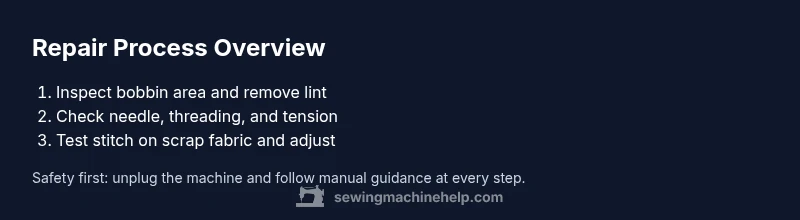
A practical troubleshooting workflow helps organize your efforts and prevents missing critical steps. Start with confirming the basics: unplug the machine, remove the bobbin and needle, and inspect for obvious damage. Next, re-thread the machine correctly, replace the needle if it is bent or dull, and clean lint from all accessible areas. Then test the stitch on scrap fabric and observe for consistent feeding, proper tension, and neat stitch formation. If stitches skip or loop, re-check tension settings and ensure the bobbin is wound and seated properly. In many cases, synchronization of needle timing is not the issue for routine repairs; rather, lint and mis-threading are the main offenders. By following this workflow you’ll perform reliable brother sewing machine repair without guessing. Always refer to the specific model manual, as different Brother models have unique service needs.
Maintenance to prevent future problems
Prevention is cheaper than repair. Regular maintenance reduces the frequency of issues that require brother sewing machine repair. Schedule a light cleaning every 6–8 hours of sewing, paying attention to lint buildup around the bobbin area, feed dogs, and under the needle plate. Replace needles regularly and use the correct needle size for the fabric you’re stitching. Lubricate only as directed by your model’s manual and never over-oil. Keep the machine covered when not in use to minimize dust accumulation and protect sensitive electronics. By adopting a simple care routine, you can maintain stitch quality and extend the life of your Brother machine.
When to seek professional help
Some issues are beyond the scope of DIY fixes. If your machine exhibits persistent timing problems, motor smells, unusual noises, or damage to critical components, seek professional repair. Complex timing adjustments, PCB issues, or motor replacements require trained technicians to avoid further damage. In cases of warranty coverage, consult the manual and authorized service centers to preserve protection. Sewing Machine Help recommends using professional help when basic diagnostics and maintenance do not restore normal operation, ensuring safety and long-term reliability.
Tools & Materials
- Precision screwdriver set(Small Phillips and flat-head bits for chassis screws)
- Tweezers(Fine-point tweezers for lint and tiny parts)
- Soft brush or lint brush(Gentle bristles to remove lint from bobbin area)
- Sewing machine oil(Only use oil recommended by your manual; apply sparingly)
- Replacement needles(Assorted sizes; 14–16 is common for general fabrics)
- Bobbin and spare bobbins(New bobbins compatible with your Brother model)
- Lint-free cloth(For delicate surfaces and wiping oil)
- Sewing machine manual(Model-specific guidance and diagrams)
- Container or tray(Organize tiny screws and parts)
- Compressed air can(Use with caution; avoid pushing dust into electronics)
Steps
Estimated time: 60-90 minutes
- 1
Unplug and secure the workspace
Disconnect power, unplug the foot pedal, and place the machine on a clean, well-lit surface. This prevents accidental starts and ensures you can safely access the interior. Have a small tray ready for loose screws.
Tip: Take a photo of screw layouts before removing covers to make reassembly easier. - 2
Remove the needle plate and inspect for lint
Raise the needle, remove the needle plate, and use a soft brush to clear lint from the bobbin area. Check for any damaged or bent needles and replace if necessary. Clear lint that can affect stitch formation.
Tip: Work slowly around the bobbin case to avoid dislodging delicate parts. - 3
Check needle and threading path
Remove and inspect the needle for bends; replace with a new one if needed. Rethread the machine from the presser foot, ensuring the path is clear and the tension disks are aligned. Test top thread and bottom thread stability.
Tip: Use the manual’s threading diagram to confirm correct path for your model. - 4
Inspect bobbin and bobbin case
Take out the bobbin, clean its housing, and ensure it spins smoothly without resistance. Reinsert the bobbin in the correct orientation and wind tension evenly. Misplaced or lint-filled bobbins commonly cause jams or uneven stitches.
Tip: Hold the bobbin steady as you place it to avoid misalignment. - 5
Clean, oil, and reassemble
Wipe surfaces with a lint-free cloth, apply oil to designated moving points per the manual (avoid motor or electronics), and reassemble the machine. Ensure all screws are snug but not overtightened.
Tip: Use minimal oil and keep a small blotter to catch excess fluid. - 6
Test stitch and adjust
Plug in the machine, sew a few test stitches on scrap fabric, and observe tension and feed. If needed, adjust upper-lower thread balance and needle size for the fabric type. Repeat tests until the stitch is clean and even.
Tip: Document tension settings that yield good results for future projects.
Your Questions Answered
Can I repair a Brother sewing machine at home?
Yes, for common issues like lint buildup, mis-threading, and needle wear. More complex problems may require professional service.
Yes, you can handle many minor fixes at home, but for complex problems, a professional service is best.
Which tools do I need for basic Brother sewing machine repair?
A precision screwdriver set, tweezers, lint brush, replacement needle, bobbins, and sewing machine oil are usually enough for basic repairs.
Typically, you’ll need a small screwdriver, tweezers, a lint brush, a spare needle, bobbins, and oil.
How do I know when to stop and seek professional help?
If the machine won’t run after basic checks, makes unusual noises, smokes, or shows motor damage, contact a pro.
If you hear grinding, see smoke, or the machine won’t operate after checks, stop and get a professional.
Is it safe to use household cleaners on my Brother sewing machine?
Avoid liquids on electronics; use the manual’s recommended cleaners and a dry cloth. Do not spray liquids directly onto components.
Don’t spray cleaners on the machine; use a dry cloth and the manual’s guidance for cleaning.
Can this guide apply to all Brother models?
Many steps are universal, but always refer to your model’s manual for model-specific steps and lubrication points.
Most steps are universal, but check your model’s manual for specifics.
Watch Video
The Essentials
- Power off and unplug before repairs.
- Keep the workspace organized and document changes.
- Most issues stem from lint, mis-threading, or worn needles.
- Know when to escalate to professional service.