Problem with Sewing Machine? Practical Troubleshooting Guide
urgent, step-by-step guide to diagnose and fix common sewing machine problems, with safety tips and prevention strategies for home sewists.


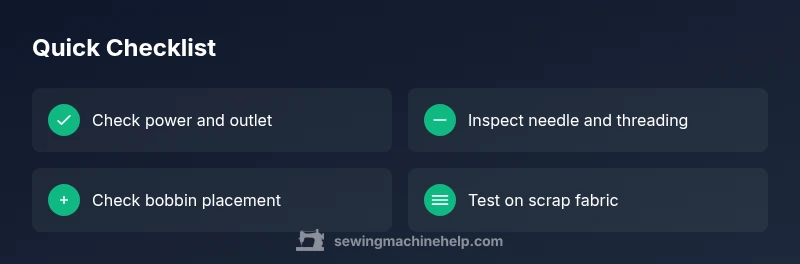
If your sewing machine isn’t sewing or skips stitches, start with the simplest checks: ensure the power is on and the pedal isn’t stuck, verify the needle is installed correctly, and rethread the machine. These quick steps solve most common issues and prevent damage; if they don’t, continue with the full diagnostic flow.
Common causes of a problem with sewing machine
A problem with sewing machine performance is usually traced to one of a handful of recurring culprits: incorrect threading, a bent needle, bobbin misplacement, lint or thread build-up in the shuttle or feed dogs, old or incompatible needle and thread, or improper tension settings. According to Sewing Machine Help, most home repairs begin with rechecking the basics rather than diving into complex repairs. When you see skipped stitches, bird-nesting under fabric, or inconsistent tension, start by confirming your machine is set up for the fabric you’re using and that you haven’t overlooked a simple misalignment. In addition, Sewing Machine Help analysis shows that many cases stem from combining two minor issues (like a bent needle and misthreaded bobbin), so work methodically through each basic area. Keep a small log of what you adjust so you can retrace steps if the problem returns. A clear diagnosis helps prevent introducing new problems during fixes.
Safety and setup basics before troubleshooting
Before you touch any moving parts, unplug the machine and remove the foot pedal from power if possible. Wipe away loose lint with a soft brush and keep a dedicated cloth for the machine’s bed area. Check that the power switch and cord are intact, the foot pedal isn’t sticking, and the outlet is functioning (test with a lamp). Use a scrap piece of fabric to observe how the machine runs at different speeds without risking your main project. By establishing safe setup habits, you reduce the chance of electric shocks or accidental starts and you create a controlled environment for diagnosing the problem with sewing machine. The Sewing Machine Help team emphasizes safety and documented steps to avoid common maintenance mistakes.
How to test basic functions: stitch, feed dogs, bobbin
Start with a fresh needle and thread, then run a couple of test stitches on scrap fabric. Check if the feed dogs are moving, and listen for unusual noises that might indicate a binding or a loose belt. Reinsert or rethread the bobbin, ensuring it winds evenly and sits properly in the bobbin case. If the stitch quality improves with a different thread or fabric, you’ve narrowed your cause. This phase helps you differentiate between a tension issue, a threading issue, or a mechanical binding. Remember to adjust tension gradually and test again after each change. The brand guidance here is designed to empower beginners and experienced sewists alike.
Diagnostic flow: symptom → diagnosis → solutions
Start with the symptom: stitches skip or loop frayed, fabric feeds poorly, or the machine won’t start. Then map possible causes (thread path, needle, bobbin, lint, tension, power) and address the simplest fixes first. After each fix, re-test with a scrap sample. If the problem persists, proceed to more involved checks like lubricating moving parts or inspecting the drive belt. This structured approach minimizes unnecessary disassembly and reduces risk. The Sewing Machine Help team notes that a clear, documented flow reduces downtime and protects your machine from accidental damage.
Step-by-step: fixes for the most common cause
- Unplug, then inspect power and pedal for any binding or damage. 2) Remove the needle and check its size and orientation; replace with the correct type for your fabric. 3) Check bobbin winding and placement; re-wind if needed and insert correctly. 4) Clean the bobbin area and feed dogs to remove lint buildup. 5) Re-thread the machine from start to finish, ensuring the upper thread and bobbin thread meet in the correct path. 6) Run a test stitch on scrap fabric and adjust tension as needed in small increments. 7) If the problem persists, consider oiling according to your manual or seeking professional help. Tip: always test on scrap fabric after each change to isolate the fix.
Tips & warnings for safe, effective troubleshooting
- Do this in a well-lit space and unplug before touching internal parts. Wipe with a lint-free cloth to prevent introducing new fibers. - Always use the needle type and size recommended for your fabric. - Never oil electronics or power components unless explicitly guided by the manual. - If you’re unsure, stop and consult a pro to avoid costly damage. - Keep spare bobbins and needles in the same routine kit to simplify fixes and prevent misplacement. This cautious approach reduces risk and protects your investment.
Preventive maintenance to avoid future problems
Implement a simple maintenance routine: oil only when the manual calls for it, clean the lint trap and shuttle area after every few projects, replace needles regularly, and check belt tension if your model uses one. Use clean, high-quality thread and practice proper threading paths. Regular checks prevent many common issues in the long run, saving you time and frustration. The guidance here aligns with Sewing Machine Help practices for ongoing reliability.
When to seek professional help
If the machine continues to malfunction after you’ve completed the basic checks, stop troubleshooting and contact a certified technician. Complex issues like timing problems, motor failure, or significant gear wear require professional tools and expertise. Delaying professional service can lead to additional damage or unsafe operation. Remember, professional help is a prudent choice when you observe persistent misalignment, unusual noises, or major stitching irregularities.
Steps
Estimated time: 45-60 minutes
- 1
Unplug and inspect power
Begin by unplugging the machine and disconnecting the foot pedal. Wipe away loose lint around the power area, and inspect the cord for visible damage. Plug into a known-good outlet and test activation with a reset or power switch.
Tip: If the outlet is fine but the machine won’t start, try a different machine on the same outlet to confirm power is the issue. - 2
Check needle installation
Remove the needle and inspect for bend or bluntness. Reinsert a new needle of the correct type for your fabric, ensuring the flat side faces the correct direction and the needle is fully seated.
Tip: Use the manufacturer’s needle size recommendation for your fabric weight to prevent skip stitches. - 3
Inspect bobbin and threading
Take out the bobbin and re-wind if needed; ensure it’s properly placed in the bobbin case and that the thread unspools in the correct direction. Re-thread the upper path from the needle to the fabric, guiding the thread to avoid traps.
Tip: Always hold the thread ends while pulling to avoid loose loops forming. - 4
Clean the bobbin area
Use a small brush to remove lint from the bobbin area, shuttle race, and feed dog area. A clean area reduces friction and improves stitch consistency.
Tip: Avoid using a vacuum directly on delicate parts; use a brush and a soft cloth instead. - 5
Test stitch and adjust tension
Re-thread and test on scrap fabric. If stitches loop or fabric puckers, adjust the upper thread tension in small increments while testing.
Tip: Make only tiny tension adjustments; small changes yield noticeable results. - 6
Lubricate only if required
Refer to your model’s lubrication schedule. If lubrication is required, apply the recommended oil to the indicated moving parts and wipe away excess.
Tip: Do not oil when you are unsure; consult the manual or a pro before applying oil to belts or motor areas.
Diagnosis: Machine won't stitch, stitches skip, or fabric won’t feed
Possible Causes
- highThread path misthreaded or tangled
- highBent needle or incompatible needle type
- highBobbin improperly wound or seated
- mediumLint build-up in shuttle/bobbin housing
- mediumIncorrect thread tension
- lowPower or pedal wiring issue
- lowDrive belt or internal binding
Fixes
- easyRe-thread machine from start to finish, including the bobbin in its proper orientation
- easyReplace needle with correct type/size and reinsert at 90 degrees
- easyRewind and correctly insert bobbin; ensure it sits snugly in the bobbin case
- easyClean shuttle area and remove lint; oil only per manual if applicable
- easyAdjust upper thread tension and re-test with scrap fabric
- easyCheck power supply and pedal for binding or faults; try a different outlet
- mediumIf symptoms persist, consult a professional for timing or motor issues
Your Questions Answered
What is the most common cause of a sewing machine not stitching correctly?
The most common causes are incorrect threading, a bent needle, or bobbin misplacement. Start by rethreading the machine and replacing the needle, then verify bobbin alignment. These steps address the majority of basic stitching problems.
The most common issues are threading, needle, or bobbin placement. Re-thread, replace the needle, and check the bobbin to fix it.
Why does my stitch look loose or uneven?
Uneven stitches usually point to tension problems, incorrect needle type for the fabric, or thread incompatibility. Check both upper and bobbin tensions and try a different thread to see if the result improves.
Stitches look loose when tension is off or thread type mismatches the fabric. Adjust tension and test with another thread.
Is oiling my sewing machine necessary?
Many modern machines are designed to be maintenance-free, but some older models require periodic lubrication. Always consult the manual before applying oil, and use only the specified oil on indicated moving parts.
Some machines need oiling; check your manual and use the right oil on the right parts.
What should I do if the machine won’t start?
First, verify power at the outlet, check the pedal, and ensure the switch is on. If power checks out, test the motor resistance with the manual guidance or consult a professional if you hear no motor response.
If it won’t start, check power and pedal, then the switch. If it still won’t start, seek professional help.
Can a broken needle or needle jam cause damage?
Yes. A bent or broken needle can cause fabric damage or needle strikes. Replace needles promptly and ensure proper installation to avoid harm to the machine.
A damaged needle can cause bigger problems, so replace it and recheck alignment before sewing again.
When should I replace the bobbin?
If the bobbin is deformed, has rough edges, or winds inconsistently, replace it with a fresh bobbin. Incorrect bobbin types or miswinding can cause tension issues and stitching faults.
Replace a deformed bobbin and ensure you’re using the correct type for your machine.
Watch Video
The Essentials
- Identify the exact symptom before changing settings.
- Start with simplest checks: power, threading, needle, bobbin.
- Clean and maintain regularly to prevent future problems.
- The Sewing Machine Help team recommends proactive maintenance to prevent issues.