Why Sewing Machine Is Not Working: Urgent Troubleshooting Guide
Urgent, step-by-step guide to diagnose why your sewing machine isn't working. Learn quick checks, a structured diagnostic flow, and safe fixes to get you sewing again fast.


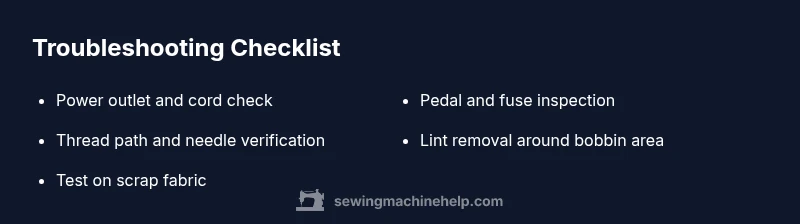
If your sewing machine won't start, the most common cause is a power issue or loose connection. First, verify the outlet works by testing another device, and inspect the power cord and foot pedal for damage. Confirm the machine’s switch is on and any fuses are intact. Unplug before testing, and follow model-specific safety steps from the manual. If these checks don’t resolve it, proceed with the diagnostic flow in the body for deeper issues.
Common symptoms and immediate checks
When a sewing machine won't start or power on, begin with simple, safe checks. First assess the power source: is the outlet functioning? Test it with another device to confirm. Next, inspect the power cord for visible wear, the foot pedal for binding, and the machine’s power switch for any signs of damage. If you have a separate power adapter, verify compatibility with your model. A loose connection inside the plug can prevent the motor from receiving power, so reseating connections is a quick win. If the outlet is fine and the cord intact but the machine still won’t start, move to the next diagnostic steps. Keep your manuals handy; model-specific steps can vary. Always unplug before touching any internal parts.
Safety first: unplugging and protective measures
Safety should guide every troubleshooting step. Always unplug before inspecting internal parts. If your machine has a removable foot pedal, unplug or disconnect the pedal from the machine side to test the power cycle safely. Use a grounded outlet if available and avoid using damaged extension cords. Do not operate the machine with visibly damaged cords or after a burning smell. Wear safety glasses if you are adjusting moving parts, and keep fingers away from the needle when testing by hand. If the machine has a three-prong plug, ensure the ground prong is intact. Adhering to these precautions protects you and preserves the machine during diagnostics.
Threading and bobbin basics
Threading correctly is essential for operation; an incorrect path can mimic a power issue by causing jams or poor stitching. Start with the needle: install the correct needle type and size for your fabric and confirm it’s fully inserted. Thread the needle from the spool to the needle, ensuring the thread is taut and free of snags. Locate the bobbin and wind it evenly; load it per the manual, ensuring the thread winds in the correct direction and feeds smoothly. Lower the presser foot when threading to help the machine feed properly. If you notice inconsistent tension, re-thread the path and test on scrap fabric. Bent needles or lint buildup in the bobbin area can stop movement. Clean the bobbin case gently and reinsert the bobbin with the thread looping in the correct direction.
Motor and belt issues
Over time, the motor or belt can become strained or slip, leading to stalls or failure to start. Listen for unusual grinding or squealing, which may indicate a worn belt or a stuck pulley. Check belt tension: a loose belt may slip, while an overtight belt can stress the motor. If you can access the belt safely, rotate it by hand to confirm it moves smoothly without binding. Some machines have a belt tension adjuster; follow the manual to reset to the correct tension. If you hear a hum with no motion, it’s likely an electrical issue or a seized motor that needs professional attention. Do not force the handwheel or pull the belt aggressively, as that can cause further damage.
Shuttle and feed dog alignment
Shuttle and feed dogs out of alignment can prevent fabric from moving and mimic a power issue. Open the bobbin area and inspect the shuttle for obstructions. Remove lint and stray threads with a soft brush or small pick. Ensure the feed dogs rise and fall properly as you manually rotate the handwheel. Check the presser foot height and confirm it isn’t pressing down too hard on the fabric. If the machine begins to stitch but fabric doesn’t feed, recheck the feed dog teeth alignment and reposition them if needed. After any adjustment, test on scrap fabric to confirm smooth feeding.
Electrical components and fuses
Fuses and internal switches can fail without obvious external signs. If your model uses a replaceable fuse, consult the manual for the correct type and rating. A blown fuse will cut power completely. Some machines have overload protection; if this trips, unplug and allow the system to cool before resetting. Inspect the power switch for wear or a loose connection, reseating any accessible connectors. If you notice melted insulation, a burnt smell, or scorched marks, stop and seek professional repair immediately. Electrical issues require specialized equipment and should be handled by a qualified technician to avoid shock hazards or board damage.
Tension and stitching problems
Even when the machine powers on, improper tension can produce poor stitching or slow feeding. Recheck the upper thread tension and stitch length; a loose upper thread causes looping and jams, while overly tight tension can break threads. The bobbin may seem correctly wound but be misaligned; reinsert it and confirm the thread path. Use the correct needle and fabric type; replace a bent or dull needle. If you see skipped stitches on regular fabric, try a fresh needle and rethread. For specialty fabrics, adjust tension and presser foot pressure accordingly. Refer to the tension guide in your manual and test on scraps until the stitch is balanced.
Common noise or grinding signs
Grinding, loud clicks, or unusual noises often indicate a mechanical problem rather than a power issue. Common culprits include a worn feed dog gear, a damaged shuttle, or a misaligned needle bar. Stop sewing and power down, then inspect the needle clamp, needle, and presser foot for damage. Clean lint around the bobbin area; trapped lint can cause timing issues. If noise persists after cleaning and re-threading, the machine may need timing adjustment or part replacement. Do not disassemble components beyond your comfort level; seek professional help if unsure.
Error codes and diagnostics
Many modern machines display error codes to indicate specific problems. Check the user manual or manufacturer site for code meanings. Common codes relate to tension warnings, bobbin thread issues, or motor overload. Document the code and perform the recommended steps in order. If a code persists after basic fixes, you may need a software reset or professional service. A code can help technicians locate the root cause quickly. If you don’t have the code, note the circumstances when it appears (fabric type, stitch pattern, misfeeds) to help pinpoint the issue.
When to contact a professional
If in doubt or if you observe motor failure, electrical damage, smoke, or a burning smell, stop using the machine and contact a qualified sewing machine repair technician. The risk of electric shock and further damage is real, and only trained technicians should handle timing belts, gears, or motor components. Gather model information, purchase date, and a brief symptom summary to assist the technician. Regular maintenance visits can catch issues early. If the machine is under warranty, check terms before attempting major disassembly.
Steps
Estimated time: 60-90 minutes
- 1
Check power supply and outlet
Unplug the machine, inspect the power cord and pedal for visible damage, then plug into a known-good outlet. Test the outlet with another device to confirm power flow. If the outlet or cord fails, replace the damaged component before retesting.
Tip: Always unplug before touching electrical parts. - 2
Inspect the machine switch and fuse
Turn the power switch on and off a few times while not connected to the power, if safe to do so. Check for a blown fuse or tripped breaker in your outlet strip or the machine’s fuse. Replace with the correct type if applicable.
Tip: Consult the manual for fuse type and rating. - 3
Test the foot pedal and pedal connection
If your model uses a foot pedal, disconnect it and test the machine directly with the power cord alone. A stuck or damaged pedal can prevent startup. If the motor runs with the pedal removed, replace the pedal.
Tip: Avoid forcing the pedal; replace if resistance remains. - 4
Check threading, needle, and bobbin
With power off, rethread the machine, insert a fresh needle suitable for your fabric, and verify the bobbin is wound and loaded correctly. Even if the machine powers on, threading issues can render it non-functional.
Tip: Use scrap fabric to confirm stitches after re-threading. - 5
Observe motor and belt movement
If the machine powers on but won’t sew, listen for motor hum or belt movement. A loose belt or seized motor indicates a mechanical fault that may require a service call. Do not attempt aggressive adjustments.
Tip: Do not disassemble the motor beyond basic cleaning. - 6
Inspect feed dogs, shuttle, and tension
Open the bobbin area and remove lint. Check feed dogs for proper action and ensure tension is balanced. Correct misfeeds can restore operation without major repairs.
Tip: Clean lint daily to prevent buildup. - 7
Reset and test with scrap fabric
Power cycle the machine (unplug, wait 30 seconds, plug back in) and perform a test stitch on scrap fabric. If the code or fault persists, consult the manual for codes or seek service.
Tip: Document any error codes for the technician. - 8
Check for unusual smells or smoke
If you notice burning smells, stop testing immediately and unplug the machine. Electrical issues can be dangerous and require a professional evaluation.
Tip: Failing components should be tested only by trained technicians. - 9
Plan for professional service
If the issue involves motor, belt timing, or control electronics, arrange professional repair. Provide model details and a symptom log to speed diagnosis.
Tip: Keep your warranty and service history handy.
Diagnosis: Machine won't power on or start
Possible Causes
- highPower issue or loose connection
- mediumTripped circuit or blown fuse
- mediumDamaged power cord or pedal
- lowInternal control board fault
Fixes
- easyTest the outlet with another device; reseat the plug
- easyInspect cord and pedal for damage; replace if necessary
- easyReset overload switch and inspect fuse according to manual
Your Questions Answered
Why won't my sewing machine turn on?
Check the power outlet, cord, and pedal. Ensure the main switch is on and that any fuses are intact. If still unresponsive, proceed through the diagnostic flow in the article.
First, check the outlet and cord; if it still won't start, follow the diagnostic flow.
My machine is making a grinding noise but won’t sew.
A grinding sound usually indicates a mechanical issue such as a belt or shuttle problem. Stop, unplug, and inspect the belt and shuttle area for obstructions or wear. If nothing obvious shows, seek professional service.
A grinding sound means stop and inspect the mechanical parts; call a pro if needed.
How do I fix tension problems affecting stitches?
Recheck upper thread tension, stitch length, and bobbin alignment. Replace a bent needle and rethread the path. Test on scraps and adjust gradually until stitches are balanced.
Start by replacing the needle and rethreading, then adjust tension on scraps.
When should I contact a professional?
If the issue involves motor, timing, or electrical components, or if there is burning smell, stop and contact a qualified repair technician. Gather model info and a symptom log to speed diagnosis.
If unsure or there's burning smell, consult a professional.
What if the machine displays an error code?
Refer to the manual or manufacturer site for code meanings. Follow the recommended steps in order and note the code for the technician if it persists.
Check the code meanings in the manual and follow the steps, then call a pro if it persists.
Can a user fix threading problems on their own?
Yes. Re-thread the machine, replace the needle if bent, and verify bobbin loading. Proper threading prevents most starting and stitching issues.
Yes—re-thread, check the needle, and ensure bobbin is loaded correctly.
Watch Video
The Essentials
- Power checks first to rule out common issues.
- Follow a safe, step-by-step diagnostic flow.
- If you smell burning or see smoke, stop and seek professional help.
- Regular maintenance prevents future failures.