Sewing Machine Bottom Loop Troubleshooting
Practical, step-by-step guidance to diagnose and fix bottom thread looping when sewing. Learn bobbin tension, needle checks, threading paths, and safe DIY fixes for home sewists.


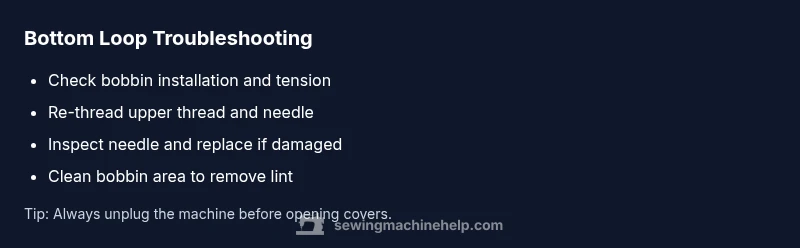
The most likely cause is bobbin misthreading or tension. Start by removing the bobbin and rethreading the bobbin case and top thread, then reseat the needle and reinsert the bobbin correctly. If looping continues, check bobbin tension and thread path, and adjust as recommended in your manual. If unresolved, seek professional help.
What bottom looping looks like and why it happens
When the sewing machine is looping on the bottom, you’ll see loose thread loops on the underside of your fabric rather than neat, locked stitches on top. This symptom is the most common sign that the bobbin thread isn’t being caught by the needle or that the thread path is misaligned. In many home machines, bottom looping occurs after a simple misstep: you may have re-threaded quickly without rechecking the bobbin, or you used a needle that’s dull for the fabric you’re sewing. Understanding how the loop forms helps you target the right area without unnecessary disassembly. Start with the easiest checks—rethreading, reloading the bobbin, and inspecting the needle—before moving to tension adjustments or deeper maintenance. If you’re seeing bottom loops consistently across fabrics and stitches, that’s a strong cue to perform a systematic check of threading, tension, and needle condition.
Primary causes: bobbin tension, needle, and threading mistakes
Bottom loops almost always trace back to how the machine is threaded or how the bobbin is wound and seated. Common culprits include an incorrectly inserted bobbin (or a bobbin wound unevenly), bobbin tension that is too tight or too loose, and a needle that is bent, dull, or not fully seated. Another frequent offender is the upper thread not threading correctly through the tension discs, which can let the top thread pull freely while the bobbin thread loops underneath. Debris such as lint or tiny fibers in the bobbin area can also alter tension and thread path. Finally, some fabrics with very slick surfaces or very dense stitches can cause inconsistent stitching that looks like bottom looping. By methodically testing these areas, you’ll isolate the root cause and choose the simplest fix first.
How to inspect and reset the bobbin setup
Begin by unplugging the machine and removing the bobbin cover. Take out the bobbin and inspect it for flat spots or loose winding; if in doubt, wind a fresh bobbin following the manufacturer’s instructions. Reinsert the bobbin in the correct orientation so the thread unwinds in the same direction you sew. Place the bobbin case back into its housing, ensuring there’s no wobble. Thread the upper path again from the spool, through the guides, and through the needle. Before you start stitching, hold the thread tails and gently rotate the handwheel toward you to ensure the needle moves smoothly and does not snag. Do a quick test swatch to confirm whether the bottom loops persist.
Check the needle: size, type, and installation
A bent or dull needle can cause all sorts of stitching misbehavior, including bottom looping. Remove the needle and inspect the tip—the point should be sharp and free of nicks. If you sew with jersey or knitted fabrics, use a ballpoint or stretch needle; for woven fabrics, a sharp universal needle works best. Install the needle with the flat side facing the correct direction for your machine and ensure it’s fully seated in the needle clamp. Thread the machine again and test. If the needle was damaged or not securely installed, replacing it alone often resolves bottom looping.
Top thread tension and thread path: avoid tangles
Even when the bobbin is set correctly, the top thread must pass cleanly through the tension discs. If the upper thread is too tight, it can pull up a loose bobbin thread that forms loops underneath. Re-thread the upper thread from the spool, through all guides, and through the tension discs exactly as shown in your manual. Check that the thread is not caught on the needle; you should feel smooth resistance when you pull on the thread at the needle. Also verify the thread path around the take-up lever and through the needle to prevent accidental backtracking that leads to loops.
Fabric type, stitch settings, and their impact on looping
Certain fabrics and stitch styles are more prone to bottom looping. Very fine fabrics, low loop tension, or long stitches on silky materials can accentuate looping if the bobbin and needle aren’t matched to the fabric. If you’re sewing with a thick denim or multiple layers, adjust stitch length and tension accordingly. Use a scrap piece to test the stitch settings before committing to your project. Also if you’re using decorative stitches with a low bobbin tension, even slight misalignment can produce bottom loops. This is where you might need to tighten bobbin tension slightly or switch to a compatible needle and thread combination.
Quick checks you can do before disassembly and when to stop
If you’ve exhausted the basics and still see loops, perform these quick checks: rethread the machine with the presser foot up, use a fresh needle, and sew on a scrap piece to verify the issue. Clean lint from the bobbin area; press the fabric and test again. If after these steps the problem remains, consider professional service, especially if there’s a bent hook or timing issue. Regular maintenance—cleaning, oiling (as per the manual), and replacing needles on schedule—prevents future bottom looping.
Steps
Estimated time: 25-40 minutes
- 1
Re-thread the machine with a fresh thread path
With the presser foot up, rethread the upper path exactly as your manual indicates. Then re-thread the bobbin, making sure it unwinds in the correct direction. Rotary methods or thread guides should be clean and free of lint. Finally, test by stitching on scrap fabric.
Tip: Always use a fresh spool and ensure the thread isn’t caught on any guides. - 2
Inspect and reseat the bobbin
Remove the bobbin, inspect the winding for flat spots, and ensure there are no loose threads. Reinsert the bobbin in the correct orientation so the thread unwinds toward the front. Replace the bobbin case securely in its housing and pull a thread tail to confirm smooth movement.
Tip: If the bobbin wobbles, replace it with a new wound bobbin. - 3
Check the needle
Remove the needle and inspect for a bent shaft or blunt tip. Replace with a new needle of the correct size for your fabric. Reinstall with the flat side oriented correctly and snug in the clamp.
Tip: Use a needle tester or a flashlight to inspect the needle groove for damage. - 4
Test stitch with adjusted tension
Sew a few stitches on a scrap piece. If bottom loops persist, slightly adjust the top tension (in small increments) and retest. Avoid large tension changes—tiny tweaks go a long way.
Tip: Keep a note of the setting you used so you can revert if needed. - 5
Clean and lubricate the bobbin area
With power off, remove lint and dust from the bobbin race, shuttle housing, and take-up lever. Lightly oil per your machine’s manual if required, then run a few stitches on scrap fabric to verify improvement.
Tip: Use a dedicated sewing machine brush rather than a cotton swab to avoid leaving fibers. - 6
Final test and prevention notes
Perform a full test on several fabrics. Record the settings and steps that worked. Schedule regular cleaning and needle replacement to prevent future bottom looping.
Tip: Create a simple maintenance log for quick reference.
Diagnosis: Sewing machine is looping on the bottom
Possible Causes
- highBobbin installed incorrectly or wound unevenly
- highBobbin tension too loose or too tight
- highNeedle inserted incorrectly or damaged
- mediumUpper thread not threaded through tension discs
- lowLint or fabric debris in bobbin area
Fixes
- easyRe-thread the bobbin and upper thread exactly following the manual
- easyWind a fresh bobbin and ensure even tension, then reinsert
- easyReinsert needle correctly and test for smooth movement
- mediumAdjust bobbin tension if your model allows it
- easyClean lint from the bobbin area and take-up lever
Your Questions Answered
Why does my sewing machine loop on the bottom only when I sew certain fabrics?
Fabrics with different textures can affect thread tension and how the needle catches the bobbin thread. Test with a scrap fabric and adjust tension or needle type for the specific fabric. If looping persists across fabrics, check bobbin setup and threading path.
Certain fabrics can change tension and needle interaction. Test with scraps and adjust accordingly.
Can an incorrectly installed needle cause bottom looping?
Yes. A bent or loose needle can fail to pick up the bobbin thread, producing bottom loops. Replace with a new needle and ensure the flat side faces the correct direction before testing.
A damaged needle often causes looping. Replace and re-thread, then test.
How do I know if bobbin tension is the problem?
If the bobbin thread pulls too tightly or seems loose under fabric, the tension is likely off. Rewind the bobbin evenly and adjust the bobbin tension according to your manual, then re-test on scrap.
Bobbin tension issues show up as inconsistent bottom loops. Re-tension and re-test.
Is it safe to adjust bobbin tension myself?
Only adjust if your model supports it and you’re following the manual. Incorrect tension adjustments can worsen looping or damage components. If unsure, seek professional help.
Adjust only if you know how; otherwise, ask a pro.
What are signs the machine needs service?
Frequent looping after all basic checks, grinding sounds, or timing issues indicate a professional evaluation may be needed. Regular maintenance can prevent future problems.
Looping that won’t fix with basic steps may mean service is required.
How often should I clean the bobbin area?
Clean the bobbin area every few bobbins or at least once a month if you sew regularly. Remove lint and dust to keep the thread path clear.
Clean the bobbin area regularly to prevent buildup that causes loops.
Watch Video
The Essentials
- Start with bobbin and needle checks immediately
- Re-thread both threads and test on scrap fabric
- Clean the bobbin area to remove lint and debris
- Maintain regular needle replacement and machine cleaning