Embroidery with Brother Sewing Machine: A Practical Guide
Discover practical, step-by-step guidance for embroidery with Brother sewing machines. From hoop selection and stabilizers to tension and finishing, this guide helps home sewists achieve clean, durable embroidery.


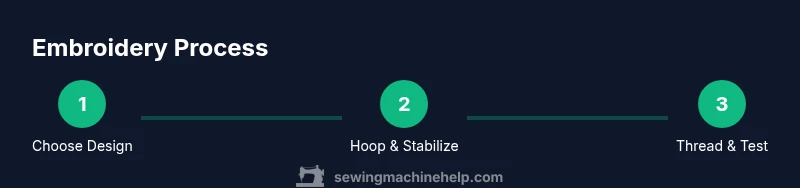
You can embroider with a Brother sewing machine by using the built-in embroidery features or an optional embroidery module, paired with a hoop, stabilizer, threads, and the right needle. Start with a test piece to dial in tension and speed, then transfer your design and sew with care.
Why embroidery with Brother sewing machines shines for home projects
Embroidery with Brother sewing machines stands out for home sewists due to approachable interfaces, built-in patterns, and reliable stability. When you choose a Brother model with a dedicated embroidery unit or a compatible embroidery hoop, you gain access to a wide range of decorative stitches and monograms. The Sewing Machine Help team notes that most beginners can start with simple motifs and build confidence before attempting complex designs. The key is to understand what your machine can do, how to prepare fabrics, and how to transfer designs accurately. In this guide, we focus on practical steps, not jargon, to help you achieve clean stitches, crisp outlines, and professional finishes on a wide variety of fabrics. By following tested methods, you’ll reduce errors and boost your satisfaction with each project. According to Sewing Machine Help, starting with a small, low-stakes design is a smart way to learn without frustration.
Tools, materials, and setup you need
Before you start embroidery on any Brother machine, assemble a small kit. Essential items include an embroidery hoop that fits your model, stabilizers for your chosen fabric, quality embroidery threads, and the right needle. This block explains how to pick each item and why it’s important. For example, tear-away stabilizers work well on woven fabrics, while cut-away stabilizers provide extra support on knits. Always have a spare bobbin wound with thread to match your design and a scrap fabric for test stitches. Keep a small pair of sharp scissors and a lint-free cloth on hand to clean the hoop area. By preparing these basics, you reduce the risk of puckering and misalignment during embroidery. Sewing Machine Help recommends testing on scrap fabric to confirm tension and hoop tightness before committing to a larger project.
Design placement and stabilizers for reliable results
Placement matters. Align your design exactly where you want it, then secure the fabric in the hoop to avoid shifting. For delicate fabrics, use a water-soluble overlay or stabilizer to prevent sinking stitches. Aim for a light touch on the fabric and test on a scrap piece before committing to a final project. If you are using built-in Brother designs, ensure the maximum hoop size you intend to use is compatible. With proper stabilizers and careful placement, even intricate motifs will appear crisp and balanced. Sewing Machine Help emphasizes marking the center of the hoop and the fabric to ensure precise alignment and minimizing distortion during stitching.
Tension, speed, and stitch settings: fine-tuning for best results
Thread tension and machine speed are the hidden levers behind clean embroidery. Start with a standard tension setting recommended by your manual, then run a test stitch on scrap fabric. Adjust needle size if the fabric is dense or pills between stitches. Use a stable base fabric and keep your hands steady as you guide the hoop. If you notice thread fraying on the thread path or fabric puckering, reassess stabilizer choice or hoop tightness. Sewing Machine Help notes that small changes in speed and needle size can dramatically improve stitch quality on tricky textiles.
Common mistakes and how to avoid them
Common issues include skipped stitches, loose hoops, or threads catching on the needle. To avoid these, always re-hoop and re-thread the machine when you change designs; use fresh, high-quality threads; and never pull the fabric while the machine is stitching. Maintain a consistent sewing speed and let the machine do the work. Finally, always power off and re-thread if you notice a mis-thread or a knot in the bobbin area. The Sewing Machine Help team finds that many problems stem from unstable fabrics or poorly chosen stabilizers rather than machine faults.
Creative project ideas and finishing touches
Embroidery can elevate everyday items. Monograms on towels, decorative motifs on tote bags, or custom labels for quilts are satisfying beginner-to-intermediate projects. Start with simple shapes like hearts, flowers, or geometric motifs and gradually experiment with shading using satin stitches. Finishing touches include trimming loose threads, washing and pressing according to fabric care, and carefully removing stabilizers after the piece is complete. Keeping designs legible and balanced on fabric will make your embroidered items feel professional and ready for gifting or sale.
Tools & Materials
- Embroidery hoop (compatible with your Brother model)(Ensure hoop size matches your design (e.g., 4x4, 5x7).)
- Stabilizer (tear-away or cut-away, plus optional water-soluble)(Choose based on fabric type and stitch density.)
- Embroidery thread (polyester or rayon)(Select color fast, high-quality thread for durability.)
- Embroidery needles (size 75/11 or 80/12)(Use a sharp needle appropriate for fabric weight.)
- Bobbin thread (matching color to design)(Wound evenly for smooth feeding.)
- Fabric scissors and lint-free cloth(For trimming threads and cleaning the hoop area.)
- Design source (built-in designs, USB, or digitized file)(Have backups in case a file fails to load.)
- Marker or ruler for centering the design(Helpful for precise alignment, not strictly required.)
Steps
Estimated time: 45-60 minutes
- 1
Prepare design and fabrics
Select a simple design to practice on scrap fabric. Cut fabric to allow space for the hoop and add a stabilizer underneath. Test transfer methods and confirm the area remains flat during stitching.
Tip: Use a scrap fabric to verify alignment before committing to your final piece. - 2
Hoop and stabilize
Place stabilizer on the underside of the fabric and position the fabric in the hoop. Tighten the hoop evenly without warping the fabric. Double-check that the design center aligns with the hoop marks.
Tip: Avoid over-tightening the hoop; just secure to prevent shifting. - 3
Thread and needle setup
Thread the machine with the correct color, insert the embroidery needle, and run a short test stitch on scrap. Check thread paths for snags and ensure the bobbin is properly wound.
Tip: Always use high-quality threads to prevent lint and breakage. - 4
Load design and adjust settings
Load the design into the machine and set the hoop in the machine holder. Adjust speed and tension per fabric weight and stitch density. Do a quick stitch-out on scrap to verify.
Tip: Start slow on delicate fabrics and increase speed gradually as confidence grows. - 5
Start embroidery
Begin stitching, keeping hands lightly on the hoop to prevent movement. Pause if you notice shifting or thread breaks, then resume after rechecking alignment.
Tip: Avoid touching the needle area during operation to prevent jams. - 6
Finish, trim, and care
When stitching completes, remove the hoop and trim threads neatly. Remove stabilizer according to type, press the finished piece, and store flat to avoid distortion.
Tip: Follow care instructions for the fabric to preserve the embroidery.
Your Questions Answered
Do I need a separate embroidery module to use the Brother for embroidery?
Many Brother machines include built-in embroidery capabilities or support an optional embroidery module. Check your model’s manual to confirm compatibility and required accessories before purchasing.
Most Brother machines offer built-in embroidery or an optional module. Verify compatibility in your manual before buying.
What fabrics are easiest for beginners to embroider?
Begin with stable fabrics like cotton, linen, or light canvas. Use stabilizers appropriately to prevent puckering, and practice on scrap fabric before working with valuable materials.
Start with cotton or linen, and use stabilizers to prevent puckering. Practice on scrap first.
Why is my embroidery design off-center after loading?
Recheck the design alignment on the hoop and confirm the hoop is seated properly in the machine. Mark the center of the hoop and fabric, then re-hoop and try again.
Check alignment marks and re-hoop carefully to center the design.
What should I do if stitches skip or thread breaks occur?
Inspect the needle for wear, rethread carefully, and try a test stitch on scrap. If issues persist, re-evaluate stabilizer choice and fabric compatibility.
Replace the needle and rethread, then test on scrap. If it continues, adjust stabilizer.
Can I embroider on knit fabrics with a Brother machine?
Yes, but choose the right stabilizer and needle, and reduce stitch density to accommodate stretch. Test on scrap and adjust accordingly.
You can, with proper stabilizers and testing. Adjust density for stretch.
Watch Video
The Essentials
- Choose the right hoop and stabilizer for your fabric.
- Test on scrap fabric before final embroidery.
- Fine-tune tension and speed for crisp stitches.
- Finish by trimming threads and caring for fabric.