When Sewing Machine Is Not Sewing: Urgent Troubleshooting
Practical, step-by-step instructions to diagnose and fix common sewing machine issues when your machine won't sew. From misthreading to tension and bobbin problems, learn fast, safe fixes and prevention tips.


Most sewing issues start with misthreading or a clogged needle plate. The quick fix is to re-thread the machine from spool to needle, ensure the needle is installed correctly and not bent, and remove lint from the bobbin area. If that doesn't resolve it, check needle size and fabric tension as next steps.
Understanding when sewing machine is not sewing
If you’re facing a project setback and wondering what to do when sewing machine is not sewing, start with fast, safe checks. In most home settings, the issue is a simple setup error rather than a broken motor. The Sewing Machine Help team consistently sees misthreaded paths, a bent or incorrectly installed needle, or lint packed around the bobbin area as the top culprits. Address these first before diving into tools or disassembly. This approach saves time, reduces frustration, and protects delicate fabrics. Key idea: re-threading from the spool to the needle, verifying needle orientation, and clearing the needle plate area solves the majority of early-stage sewing problems. Also confirm that you are using the right needle type for your fabric and that the presser foot is lowered—both influence stitch formation. Safety note: unplug the machine before performing any inspection, and never force parts that resist gentle movement. With a calm, methodical check, you can usually identify the fault quickly and return to your project.
Common causes at a glance
- Misthreaded needle or thread path: The top reason for skipped stitches or the machine refusing to sew.
- Bent or wrong-typed needle: A damaged needle can bend or break and halt stitching.
- Lint and thread buildup in the bobbin area: Debris blocks the shuttle and disrupts stitch formation.
- Tension misadjustment or wrong fabric/needle pairing: Incompatible tools create uneven stitches or no stitches.
- Bobbin tension or placement issues: If the bobbin is wound or seated incorrectly, stitches won’t form properly.
- Presser foot or feed dogs obstruction: A stuck feed system prevents fabric from moving as you sew.
Quick pre-clean checks
- Unplug the machine and inspect the power switch and foot pedal for proper function.
- Remove the needle and reinsert a straight, undamaged needle of the correct type for your fabric.
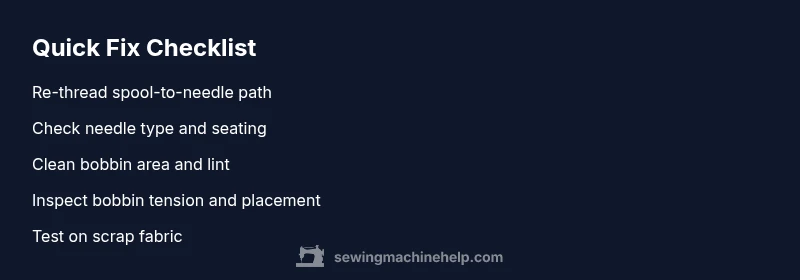
- Rethread from the spool, ensuring the thread sits correctly through all guides and tension disks.
- Open the bobbin case, remove the bobbin, clean lint, and reassemble with the bobbin wound in the correct direction.
- Test stitch on a scrap fabric with a simple straight stitch, using the same thread and fabric you plan to sew.
Diagnostic flow: symptom to solution overview
Begin with the simplest checks and move toward more involved steps. If there is no needle contact with fabric or the stitches refuse to form, re-threading and needle inspection usually fix the issue. When those fail, examine bobbin alignment and tension, then verify fabric compatibility and needle size. If you still have trouble after methodical checks, the problem might be mechanical or require professional servicing. Always pause and reassess before disassembly beyond basic cleaning.
Step-by-step overview (see the dedicated Step-by-Step block for detailed instructions)
This section provides the logic to follow, not the explicit instructions. Start with re-threading and needle inspection, then proceed to bobbin and tension checks. Finally, verify fabric compatibility and test on scrap material. Each step builds toward restoring stitch formation and protecting your machine.
Safety tips, mistakes to avoid, and quick fixes
- Always unplug before cleaning or threading.
- Do not force parts; stop if something resists gentle movement.
- Use the correct needle size and type for the fabric.
- Avoid using damaged needles or thread with lint-filled bobbin areas.
- When in doubt, switch to a fresh needle and new spool of thread to eliminate common failure points.
Prevention and maintenance to keep sewing going
Create a simple maintenance routine: regular needle changes, light oiling as specified by your model, periodic bobbin cleaning, and lint removal from the bobbin area. Store machines in a clean, dry space, and always test new fabrics on scrap swatches before committing to a project.
Steps
Estimated time: 30-45 minutes
- 1
Power down and prep
Unplug the machine, remove the presser foot, and take out the needle. This first safety step prevents accidental starts and makes inspection easier.
Tip: Keep a small trash bin handy for lint and thread scraps. - 2
Re-thread from scratch
Follow the thread path exactly as shown in the manual. Ensure the thread passes through all guides and sits correctly in the tension disks.
Tip: If you’re unsure, try a fresh spool of thread to rule out a bad thread segment. - 3
Check and reseat the needle
Install a new needle or a straight, compatible needle for your fabric. Make sure the needle is pushed up fully and secured tightly.
Tip: Never use a bent needle; it can cause skipped stitches or fabric damage. - 4
Inspect the bobbin area
Remove the bobbin and housing, clean lint, and ensure the bobbin is wound correctly and seated properly.
Tip: Rotate the handwheel slowly while inspecting for any resistance. - 5
Test with scrap fabric
Reassemble and sew on a small scrap material to check stitch formation and fabric feeding.
Tip: Choose a straight stitch to assess basic function before trying decorative stitches. - 6
Adjust tension if needed
If stitches look loose or too tight, adjust upper thread tension and re-test. Make small changes and test again.
Tip: Document your tension settings for future reference. - 7
Confirm rests and re-check
Return to your project fabric and confirm the machine sews consistently. If not, consider professional servicing.
Tip: Note any odd sounds or changes in behavior to report to a technician.
Diagnosis: Machine won't sew or forms skipped stitches, no fabric advancement
Possible Causes
- highMisthreaded needle or thread path
- highBent or incorrectly installed needle
- mediumLint/jam in bobbin area
- lowWrong needle type or fabric tension
Fixes
- easyRe-thread the machine from spool to needle, ensuring the thread sits in the tension disks and guides
- easyReplace the needle with a straight, undamaged needle of the correct type and reinstall securely
- easyRemove lint and clear the bobbin area; inspect bobbin winding and seating
- easyVerify fabric compatibility and adjust needle size or tension as needed
- mediumIf problems persist, service by a qualified technician
Your Questions Answered
Why does my sewing machine skip stitches even when it looks threaded correctly?
Skipping stitches is often caused by a bent or incorrectly installed needle, or by the thread path not engaging the tension disks properly. Replacing the needle and re-threading usually resolves this. If issues persist, inspect the bobbin and tension more closely.
Skipping stitches is usually due to a bent needle or bad threading. Replace the needle and re-thread, then check the bobbin and tension.
How can I tell if the needle is bent?
A bent needle is often visible at the point or near the base. It can also cause uneven stitches or fabric snagging. Replace with a fresh needle of the correct type and test again.
A bent needle is usually visible or causes snagging; replace it and retest.
Should I oil my machine if it’s not sewing?
Not every model requires oiling for every use. Refer to your manual to confirm oiling intervals. If oiling is recommended, use the specified oil and apply sparingly to the indicated points.
Check the manual for oiling intervals and use only the recommended oil if advised.
Can a sewing machine run without oil and still sew?
Some machines require oiling; others are designed for low maintenance. Running dry can cause wear or damage over time. Follow the manufacturer’s guidance on lubrication.
Most machines need some lubrication; check your user guide before running dry.
What if the motor hums but there’s no stitch?
A humming motor with no stitch often points to a jam, belt slip, or a binding caused by lint or thread in the shuttle area. Clear jams, check the belt (if applicable), and re-thread. If unresolved, service may be required.
If the motor hums but no stitch, check for jams and re-thread; service if needed.
When should I seek professional help?
If you’ve followed the basic troubleshooting steps and the machine still won’t sew, or you hear grinding, grinding, or see unusual movement, a qualified technician should inspect it. This prevents further damage and preserves warranty.
If basic fixes fail or you hear odd noises, see a professional.
Watch Video
The Essentials
- Start with safe, simple checks
- Re-thread and inspect the needle first
- Clean the bobbin area to remove lint
- Test on scrap material after each fix
- Seek professional help if issues persist