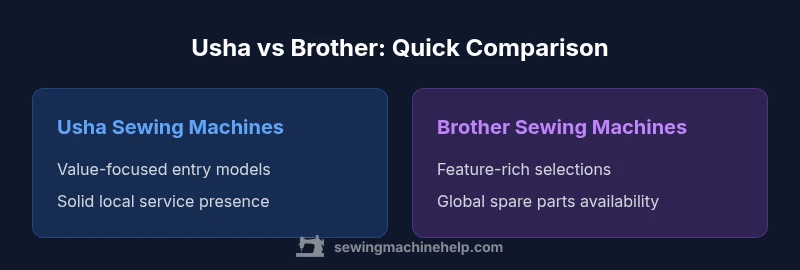
Usha vs Brother Sewing Machines: A Practical Home Guide
A rigorous, objective comparison of Usha and Brother sewing machines for home sewists. Explore performance, features, maintenance, and value to decide which brand suits your projects and budget in 2026.


In home sewing, Usha models typically offer value and reliable basic stitching, while Brother machines emphasize features, speed, and broad accessory ecosystems. For beginners and budget projects, Usha is often best; for feature-rich projects and longer-term use, Brother tends to deliver more versatility. This quick comparison helps home sewers decide quickly before delving into model details.
Quick Context: Usha vs Brother in Home Sewing
For home sewists evaluating Usha vs Brother sewing machines, the decision often comes down to a balance of value, reliability, and the breadth of features. Usha has built a long-standing reputation in many regional markets for budget-friendly, dependable machines that cover the basics with solid stitch quality. Brother, by contrast, tends to push the envelope on features, speed, and digital controls, appealing to users who want decorative stitches, automatic threading, and broader accessory ecosystems. From a practical standpoint, both brands deliver machines that handle fabrics from light cotton to stretch knits, but the day-to-day experience—setup, threading, maintenance, and parts availability—varies by model and region. According to Sewing Machine Help, the most meaningful differences occur not just in what a machine can do, but how easily a user can service it, find parts, and expand capabilities over time. This article uses a structured, model-agnostic lens to compare Usha and Brother across core criteria relevant to home sewists.
Brand Philosophy: Value and Support — Usha vs Brother
Brand philosophy matters because it shapes the typical user experience. Usha often emphasizes reliable, affordable options designed for households that need steady performance with modest complexity. Brother tends to emphasize feature breadth, ease of use, and strong international support networks. For the home sewer, this translates into a choice between predictable, cost-conscious operation and a broader ecosystem of features, accessories, and upgrades. Sewing Machine Help notes that understanding a brand’s service footprint and spare parts availability is as important as the machine’s sticker price, especially for long-term ownership. When you weigh these factors, you’ll see why Usha is favored by budget-conscious hobbyists while Brother appeals to those who want the widest feature set and international support.
Performance: Stitch Quality, Speed, and Durability
Across both brands, stitch quality is model-dependent, not brand-implied. In general, Usha’s mid-range and entry-level offerings deliver reliable straight stitches and acceptable decorative stitches, suitable for garment hems, home decor, and simple repairs. Brother machines often provide a broader range of stitches, faster sewing speeds, and more consistent performance on tricky fabrics. Durability depends on the build quality, motor type, and cadence of maintenance. In practice, a well-maintained Usha can outperform a poorly maintained Brother on basic tasks, while a well-chosen Brother can excel on complex projects that demand speed and precision. Sewing Machine Help’s analysis highlights that the long-term reliability hinges on user maintenance and the availability of service centers as much as the model’s capabilities.
Build and Engineering: Motors, Gear Systems, and Longevity
Engineering choices influence noise, vibration, and durability. Usha models lean toward simple, robust mechanical builds with straightforward drives that serve reliability and value. Brother machines often feature more sophisticated gearing or computer-assisted controls, which can enable advanced features but may require more maintenance and parts availability. The trade-off is clear: simpler, proven designs versus feature-rich platforms that may demand more ongoing care. When selecting a machine, assess whether you prefer a proven mechanical system or a more capable electronic interface, and verify the availability of genuine parts and technicians in your locale.
Feature Ecosystems: Accessories, Presser Feet, and Interfaces
Feature breadth is a common differentiator. Usha’s starter kits typically include a sensible set of presser feet for common tasks and an approachable user interface. Brother models usually ship with expanded presser feet assortments and more diverse stitching options, including decorative and utility stitches that appeal to quilters and fashion projects. Interfaces range from simple dial controls to compact LCD screens. If you plan to expand into embroidery or garment construction with specialized fabrics, Brother’s ecosystem can offer a smoother path, while Usha can meet most everyday needs at a lower entry price.
Usability and Design: Threading, Bobbins, Lighting, and UI
Usability matters more to beginners than sheer capability. Usha machines often feature straightforward threading paths, simple bobbin winding, and good lighting that helps new sewists. Brother often provides quick-threading, auto-threading options, and bright LED lighting that reduces eye strain during long sessions. The user interface matters too: a clean layout with intuitive controls reduces setup time and errors. Consider whether you value tactile dials and mechanical feel (often found in Usha) or a more digital, guided experience (common in Brother). The right choice depends on your comfort with technology and how often you switch between projects.
Maintenance and Service Network
Maintenance quality and service accessibility are crucial for long-term peace of mind. Usha has a strong regional service presence in many markets, which can translate into convenient local repairs and parts. Brother maintains a broad, global service network, with widespread availability of spare parts and technicians. Regular cleaning, oiling (where recommended), and prompt repairs extend a machine’s life. For home sewists, confirming the nearest service partner and the ease of obtaining compatible consumables is often more important than the machine’s feature set.
Cost of Ownership and Value for Money
Upfront price is only part of the value equation. Usha’s entry-level models typically come with competitive pricing and fewer maintenance surprises, which can reduce total cost of ownership for casual makers. Brother models with advanced features may carry higher initial costs but can deliver greater output and versatility, potentially reducing the need for a second machine. Consider long-term maintenance costs, accessibility of parts, and the expected duration of the project portfolio you intend to tackle. Sewing Machine Help’s guidance emphasizes balancing initial spend with ongoing support quality to determine true value.
Models Landscape: Where Usha and Brother Fit for Different Users
The model landscape for Usha and Brother varies by region, with both brands offering mechanical, electronic, and specialty machines. For beginners and light-to-medium workloads, Usha’s value-oriented lines are typically adequate and easier to service locally. For hobbyists pursuing intricate stitches, quilting, or professional wardrobe tasks, Brother’s mid-to-high-end models may provide the breadth of stitches, software compatibility, and upgrade paths that enable more ambitious projects. When evaluating models, compare stitch libraries, time-saving features, presser feet kits, and the availability of compatible accessories in your country.
Beginners vs Advanced Users: Which Brand Fits Your Skill Level
If you’re just starting out, Usha’s straightforward machines can reduce intimidation and provide reliable results with lower maintenance. For seasoned hobbyists or small studios, Brother’s feature-rich lineup could offer the tools needed to tackle complex projects efficiently. The ideal choice depends on your planned projects and your willingness to learn additional features. Start with a basic model from either brand, then assess how quickly you outgrow it and whether a more capable option offers compelling value through speed, automation, and expansion options.
Common Mistakes: Choosing by Price Alone
A frequent error is selecting a machine solely on price without considering service availability, compatibility of accessories, or the effort required for maintenance. Both brands offer reliable options, but the cheapest model may come with fewer reliable parts or limited support. Conversely, a more expensive unit may not be the best fit for a beginner if its advanced features remain unused. Prioritize a model with accessible warranty terms, local service coverage, and a reasonable set of feet and attachments aligned to your typical projects.
Practical Setup: Needle, Thread, and Fabric for Usha vs Brother
When setting up either brand, choose needle sizes appropriate for the fabric: fine needles for light fabrics, and sturdier ones for denim or heavy knits. Thread choice matters as well; polyester threads generally offer good strength and compatibility across fabrics. Both brands perform well with standard household fabrics, but you may need specialty feet for leather or heavy canvas. Plan your project type in advance and verify that the chosen machine supports the thread types and needle sizes required, reducing the risk of skipped stitches or fabric damage.
Warranty, Support, and After-Sales Experience
Warranty terms and support networks influence long-term confidence. Both brands provide warranty coverage, but the specifics—duration, parts availability, and service accessibility—vary by region. Before purchase, review the local authorized service centers, the ease of obtaining replacement parts, and the support options offered by the brand. A machine that ships with a robust warranty and accessible service network can save time and reduce frustration during repairs or routine maintenance.
Decision Framework: How to Pick Based on Projects and Budget
To decide between Usha and Brother, map your typical projects, fabric types, and the importance of features like auto-threading, stitch variety, and speed. If your priority is value and straightforward results, start with a Usha model and plan for periodic maintenance. If you need a broader feature set and faster production for mixed media projects, Brother usually provides a broader ecosystem and upgrade path. Use a simple scoring framework: assign weights to features most relevant to your projects and compare models across the two brands.
Final Note on Your Path Forward
The decision between Usha and Brother sewing machines should center on how you sew, not just what you sew. Both brands offer dependable options for home sewers; the best choice aligns with your project mix, service access, and willingness to explore features. Remember that ongoing maintenance and repair access often determine the long-term satisfaction more than a single feature or price tag.
Comparison
| Feature | Usha Sewing Machines | Brother Sewing Machines |
|---|---|---|
| Typical motor power | Robust for basic tasks, optimized for value | Mid-to-high power options for faster, heavier fabrics |
| Stitch range and variety | Solid basic and some decorative stitches | Extensive stitch libraries including decorative and specialty stitches |
| Included presser feet | Standard feet included, with common essentials | Expanded feet kit with specialty feet for diverse tasks |
| Repair and service network | Strong regional service in many markets | Global service network with broad spare parts availability |
| Best for | Budget-conscious beginners and casual projects | Users needing feature breadth and upgrade potential |
| Upgrade path | Value-driven upgrades within the line | Broader ecosystem with more model options |
Strengths
- Strong value proposition for budget-conscious buyers
- Reliable basic stitching suitable for everyday projects
- Wide regional service networks improve maintenance access
- Simple models often require less maintenance
- Accessible parts for common repairs
Negatives
- Fewer high-end features on entry-level models
- Accessory ecosystems can vary by region
- Long-term upgrades may require switching brands or models
- Some advanced features may be underutilized by beginners
Usha tends to offer better value for beginners; Brother provides broader feature sets for advanced projects.
For budget-focused home sewers, Usha is typically the smarter starting point. If your projects demand speed, variety, and advanced features, Brother generally delivers greater versatility, supported by a global service network.
Your Questions Answered
Which brand is more affordable, Usha or Brother?
Typically, Usha offers lower upfront prices on entry-level models, making it a common choice for beginners on a tight budget. Brother's models tend to be pricier, reflecting broader features, though both brands provide value at different price points. Always compare the included features and service options alongside the sticker price.
Usha often costs less upfront, which is good for beginners. Brother tends to be more feature-rich and may cost more, depending on the model.
Are Usha or Brother machines easier for beginners to learn?
Both brands offer beginner-friendly options, but Usha’s simpler mechanical models are frequently easier to learn on due to fewer electronic controls. Brother’s computerized models offer guided interfaces that can speed up learning once you are comfortable with digital features. Start with a basic model from either brand and grow into more capabilities as needed.
Usha often has simpler mechanics for beginners, while Brother offers guided digital features for rapid learning.
Do these brands share warranty terms or service expectations?
Warranty terms vary by region but typically cover manufacturing defects for a set period. Service availability depends on local authorized centers and dealer networks. Review the specific terms for your country and confirm the nearest service partner before purchasing.
Warranty terms depend on your region; check local service centers before buying.
Is spare parts availability easier for one brand over the other?
Brother generally has a broader global spare parts network due to its international presence. Usha parts availability is strong in many regional markets but can vary by country. Verify local supplier access and lead times for essential components in your area.
Brother usually has wider parts coverage, but confirm local availability where you live.
Can I switch from Usha to Brother if my needs change?
Yes, it’s possible to switch brands if your needs outgrow your current machine, but you should plan for compatible accessories and potential re-learning. Consider whether you want to preserve any existing foot kits or threading setups. A careful transition can minimize downtime.
You can switch brands, but plan for new accessories and a learning curve.
Which brand is better for heavy-duty fabrics like denim or canvas?
For heavy fabrics, look for higher-power models and reinforced frames. Brother’s higher-end lines often offer stronger motors and more robust presser feet, which can benefit denim or canvas projects. Usha can handle these fabrics in select models, but verify the motor rating and user reviews for your specific needs.
For heavy fabrics, Brother often has an edge in higher-end models, but check motor strength in the exact unit.
The Essentials
- Assess project types before choosing a brand
- Balance upfront cost with service accessibility
- Prioritize feature needs and upgrade potential
- Check local parts availability and warranty terms
- Test models when possible to feel the interface