How to Set Up a Brother Sewing Machine: A Complete Guide
Learn how to set up a Brother sewing machine with this complete, beginner-friendly guide. From model checks to threading and test stitches, get practical steps, safety tips, and maintenance advice to start sewing confidently.


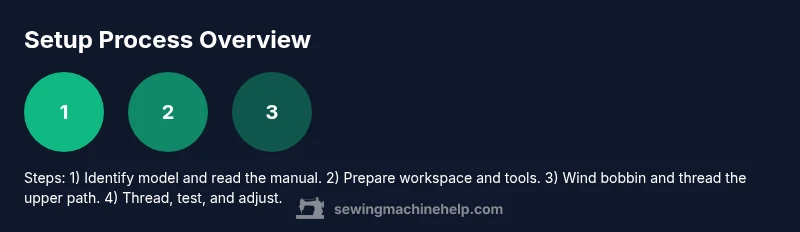
Goal: Set up a Brother sewing machine for reliable stitching. You’ll identify your model, prepare a clean workspace, wind the bobbin, thread the machine, install the needle, and run a test on scrap fabric. Before you begin, gather the tools, power, and the owner's manual for your model. This guide covers model checks, threading paths, needle installation, and first-stitch testing.
Before you start: identify your Brother model and prerequisites
If you're wondering how to set up brother sewing machine, this guide starts with the model check and manual, then moves through threading, needle, and test stitching. Brother machines vary in threading paths, needle sizes, presser feet, and bobbin types. Starting with the exact model helps you follow the recommended sequence without guesswork. According to Sewing Machine Help, verifying the model and reading the booklet first reduces common setup mistakes and saves time in the long run. The Sewing Machine Help team found that novices who write down the model, serial, and features (like decorative stitch options) tend to complete setup more confidently. In this guide, you’ll learn how to locate your model, interpret the manual, and prepare a safe workspace. Have your model number handy (usually on a sticker near the needle plate or underside of the machine) and check that you have the correct accessories for your unit. If you’re unsure, photograph the model label and consult the official Brother support page before starting.
Gather the right tools and workspace
A clean, well-lit surface makes setup easier and reduces the chance of losing small parts. Gather tools and supplies you’ll use repeatedly during setup and testing. Sewing Machine Help analysis shows that having the right tools reduces setup time and improves accuracy. Use this checklist: new universal needle (size 14-16 for general fabrics) – required; spool of all-purpose sewing thread and the correct bobbin – required; bobbin (pre-wound or wound on the machine) – required; small screwdriver set and tweezers – optional but handy for screw adjustments; cleaning brush or lint-free cloth – required; scissors, measuring tape, and a seam gauge – required; sewing machine oil (if your model recommends oiling) – optional; owner’s manual for your Brother model – required; scrap fabric for test stitches – required. A stable workspace with good lighting speeds setup and reduces mis-threading. As the brand notes, preparing the right environment speeds up setup and lowers the risk of dropped screws or misthreaded threads.
Model-specific power and safety checks
Power safety is the foundation of a safe setup. Make sure the machine is unplugged when attaching presser feet, changing the needle, or threading the machine. Read your Brother manual to locate the correct presser foot, needle type, and button operations for your exact model. If your machine requires a dedicated foot pedal, ensure the outlet is switched off before connecting. Inspect the power cord for wear, and avoid using the machine in damp conditions. If you plan to test sew, place a protective mat under the fabric and choose a scrap with similar weight to the fabrics you’ll typically sew. By aligning power, feet, and threading correctly at the outset, you’ll minimize nuisance jams and ensure safe operation from the first stitch.
Threading the upper thread and winding the bobbin
Threading starts from the spool, through guides, and down toward the needle, following your model’s specific route. Many Brother machines have multiple guides; miss one and you’ll get bird nests or loose stitches. Begin by placing a full spool on the spool pin, secure with a spool cap, and thread the upper path as shown in the manual. Wind the bobbin evenly and cut the thread tail when finished; insert it into the bobbin case, ensuring it turns in the correct direction. If your model uses a top-loading bobbin, insert it with the thread coming off in the correct orientation. For most beginners, taking a moment to re-check each guide before stitching reduces tension problems and saves time trying to unpick tangled threads.
Inserting the needle and selecting basic stitches
Install a fresh needle by loosening the needle screw, pushing the needle up fully, and ensuring the flat side faces the correct direction (varies by model). For most Brother machines, hand-crank the needle to the highest point to confirm clearance before threading. Thread the upper path through all guides and thread the needle from front to back. Then choose a simple straight stitch to begin testing; you can switch to a zigzag or decorative stitch after confirming the stitch quality. If you suspect a dull needle, replace it; a new needle helps avoid skipped stitches and fabric snags. Always re-thread both top and bobbin if you change stitch type or fabric thickness.
Troubleshooting common setup issues for Brother models
On many machines, issues emerge from incorrect threading, skipped guides, or wrong needle size. If you notice loops on the top or bottom, re-thread the machine completely, paying attention to each guide. A misaligned needle or an old, bent needle often causes skipped stitches—replace it. Bird’s nests on the underside indicate bobbin path or tension problems; reset by re-winding the bobbin, reloading, and ensuring the bobbin case is seated correctly. If the machine refuses to sew beyond a single stitch, reset by turning it off, re-threading, and verifying the presser foot is engaged and the needle is installed. These checks cover the most common culprits and usually restore smooth operation without professional service.
Running a test stitch and adjusting tension
With the machine threaded and needle installed, set a straight stitch and sew a line on a scrap fabric. Observe both the top and bottom sides; equal tension means balanced stitches. If top stitches pull to the backside, loosen the upper thread slightly by a notch or two; if bottom stitches pull to the top, increase the upper tension or re-check the bobbin tension. The goal is a clean, even stitch on both sides. If you see thread bunching or looping on the underside, re-thread on both paths and re-test. Once you achieve balanced stitches, try a simple zigzag stitch for versatility and adjust width gradually. Always test on fabric similar to your project before starting a real seam.
Cleaning, oiling, and routine maintenance after setup
Maintenance prolongs machine life and keeps performance consistent. Gently brush away lint from the bobbin area and feed dogs after each project. If your model indicates oiling, apply a drop of sewing machine oil to the indicated points; do not over-oil, and wipe away any excess. Regularly check belt tension if your machine has a belt drive and replace worn feet as needed. Keep the needle plate area clean to prevent fabric snags. Schedule a deeper service if you notice persistent resistance, unusual sounds, or declining stitch quality, and consult Brother’s service network for model-specific guidance. Finally, store tools and manuals in a dedicated drawer or box to maintain order for the next setup.
Safety, warranty considerations, and next steps
Follow all safety guidelines outlined in your manual and preserve the warranty by adhering to manufacturer-recommended servicing intervals. Use proper protective equipment if you’re dealing with heavy fabrics or power tools during disassembly. If you’re unsure about a setting, refer to the manual or contact Brother support rather than guessing. After you finish setup, consider documenting your model, warranty, and any custom foot or accessory changes for future reference. Sewing Machine Help emphasizes that consistent setup practices improve long-term results and reduce the need for troubleshooting later on. With careful preparation and a patient approach, your Brother sewing machine will deliver dependable stitches project after project.
Tools & Materials
- Brother sewing machine power cord and foot pedal(Ensure the outlet is switched off during setup; reconnect only when testing.)
- New universal needle (size 14-16)(Install with the flat side facing the correct direction for your model.)
- Spool of all-purpose sewing thread(Use a weight compatible with your fabric.)
- Bobbin(s)(Pre-wound bobbin if available; match to thread weight.)
- Bobbin case(Check for smooth rotation with no burrs.)
- Small screwdriver set and tweezers(Helpful for needle plate screws and tiny parts.)
- Cleaning brush or lint-free cloth(Clear lint from bobbin area and feed dogs.)
- scissors and measuring tape(For trimming threads and fabrics.)
- Scrap fabric for test stitches(Use fabric similar to final project weight.)
- Sewing machine oil (per manual)(Only if your model recommends oiling.)
- Owner’s manual for your Brother model(Model-specific threading and foot instructions.)
Steps
Estimated time: 45-60 minutes
- 1
Unbox and identify model
Unbox the machine and locate the exact model number. Cross-check it with the manual to confirm compatibility of feet, needles, and bobbins. This step ensures you follow the correct threading route for your unit.
Tip: If a model label is hard to read, photograph it and zoom in later to avoid assumptions. - 2
Prepare workspace and power
Set up a stable, well-lit table. Place the machine with space to move fabric, and keep the power switch accessible. Plug in only when you’re ready to test to avoid accidental starts.
Tip: Clear the area of clutter to prevent losing small screws. - 3
Wind bobbin and load into case
Wind a fresh bobbin evenly and place it into the bobbin case following your machine’s orientation. Make sure the bobbin spins clockwise or counterclockwise as prescribed by your manual.
Tip: Hold the thread tail to prevent loose winding and tangles. - 4
Thread upper path through guides to needle
Thread from the spool through each guide, tension disk, and thread path as indicated by your model. Ensure the thread seats properly in each guide to avoid tangles.
Tip: Double-check every guide; a skipped guide is a common source of bird’s nests. - 5
Install needle and set stitch
Loosen the needle screw, insert the needle with the flat side correctly oriented, and tighten. Select a straight stitch to begin testing.
Tip: Hand-crank to the highest needle position to confirm clearance before sewing. - 6
Install presser foot and test stitch
Attach the presser foot appropriate for your test stitch and lower the presser foot. Run a short stitch on scrap fabric to verify feeding and stitch formation.
Tip: Ensure the feed dogs are engaged if you intend to move fabric smoothly. - 7
Run a test on scrap fabric
Sew a short line on scrap fabric, observe stitch balance from top and bottom. If unequal, adjust the upper tension and re-test.
Tip: Make small tension changes and test to avoid over-corrections. - 8
Fine-tune tension and stitch type
If needed, switch to a zigzag or basic decorative stitch and adjust width or length gradually. Validate with another scrap before starting your project.
Tip: Document the settings that work best for common fabrics. - 9
Document setup and store tools
Record your model and settings for future use. Store tools and manuals in a designated place to speed up the next setup.
Tip: Keeping a setup log saves time on repeat projects.
Your Questions Answered
What is the first step when setting up a Brother sewing machine?
Begin by locating the model number and reviewing the manual to confirm the correct threading path, needle size, and presser foot for your unit. This ensures you follow the proper sequence from the start.
Start by finding your model number and reading the manual to confirm threading and parts.
Do I need to oil my Brother sewing machine before use?
Most modern Brother machines require minimal oiling, only as specified in the manual. If oiling is recommended, apply a small amount at the indicated points and wipe away excess.
Only oil if your manual says so, and apply a tiny amount at the indicated spots.
Can I use any needle in my Brother machine?
No. Use a needle size and type recommended for your fabric and model. Check the manual for the correct orientation and needle groove.
Use the right needle for your fabric and model, and install it correctly.
Why are there loops on the underside after setup?
Underside loops usually indicate bobbin path or tension issues. Re-thread the upper path and bobbin, then sew a test stitch to verify.
Loops usually mean threading or tension needs a quick check.
How often should I replace the needle?
Replace the needle when it shows bending, dullness, or after completing a project that used heavy fabric. Typically, change needles for each new project type.
Change the needle if it’s bent or dull or when starting a new project type.
What should I do if the machine won’t start after setup?
Check that the machine is plugged in, the power switch is on, and the foot pedal is connected correctly. Re-check threading and needle installation, then try a test stitch.
If it won’t start, verify power, pedal, threading, and needle installation, then test again.
Watch Video
The Essentials
- Identify your model and manual before starting
- Thread path and needle orientation are model-specific
- Test on scrap fabric to validate tension and stitch quality
- Maintain a clean, organized workspace for quick setups
- Use proper needles and thread for fabric types