Brother SE1900 Review: A Practical Sewing & Embroidery Combo
In-depth review of the Brother SE1900, a versatile sewing and embroidery combo. We evaluate ease of use, design workflow, maintenance, and who benefits most, with practical guidance for home sewers and beginners.


The Brother SE1900 sits as a versatile sewing and embroidery combo aimed at home hobbyists seeking an approachable entry into both crafts. It blends friendly setup, guided features, and a modest design library with reliable stitch quality, making it a solid mid-range choice for beginners who want room to grow without moving to a pro-grade machine. While not the top of the line for heavy-duty embroidery, it delivers dependable results for most home projects and small projects with personal flair.
Overview and positioning
The brother se1900 is a compact sewing-and-embroidery combo that targets home sewists who want dual capability without stepping up to a dedicated embroidery-only machine. In practical terms, it aims to provide a gentle learning curve, straightforward design transfers, and a reasonable selection of stitches and embroidery options. This review approaches the model as a tool for real-world projects—from simple garment alterations to personalized gifts—rather than a laboratory-grade instrument. We evaluate setup time, workflow efficiency, embroidery transfer methods, and everyday reliability. According to Sewing Machine Help, the brother se1900 offers an approachable entry point that helps new users build confidence while exploring customization options. The machine sits in the mid-range of Brother’s lineup, balancing affordability with usable features that can scale as skills improve.
Target users and use cases
This machine is best suited for hobbyists, beginners, and small project enthusiasts who want to explore both sewing and embroidery in one device. For those who primarily sew, it provides a comfortable sewing experience with a handful of decorative stitches and automatic features. For crafters who are curious about embroidery, the SE1900 supports a practical starting point—enough built-in designs to start learning, plus space for simple personalization. If your primary need is industrial-level embroidery or heavy quilting, you’ll likely outgrow this model, but for weekend projects and learning, it remains a sensible choice.
What you get in the box and setup
Unboxing typically reveals the machine, presser feet, bobbin, power cable, USB transfer capability, and a basic instruction booklet. The setup process emphasizes intuitive threading paths, quick-start guides, and onboard guidance that helps new users minimize errors. A common early-win is preparing a simple project—like a basic tote or a subtle appliqué—so you can test both sewing and embroidery functions in a controlled, low-stakes way. As a result, the initial learning curve remains manageable for beginners while still offering room to experiment with decorative options as confidence grows.
Core features and what they mean in practice
The SE1900 blends essential sewing features with a modest but usable embroidery module. Practically, you’ll find a front-facing LCD for mode selection, on-board design editing, and a straightforward transfer process. The stitching options cover everyday garments, home decor, and craft projects, while the embroidery library offers introductory designs that can be customized in size and color. The real-world takeaway is that these features translate into a friendly creative workflow: pick a design, adjust hoop size if needed, thread the machine, and start stitching. For new users, the balance of simplicity and capability is a meaningful advantage that makes it easier to complete projects with confidence.
How the embroidery workflow feels in daily use
The workflow flow is designed to be forgiving for newcomers. Design transfer can be accomplished via USB or direct import, with a step-by-step flow shown on the LCD. On-screen prompts guide you through hooping, design placement, and stitch density adjustments. While the database of built-in designs is modest, this often suffices for learning, personalization, and small projects. For more ambitious tasks, you can import external designs, which opens up additional creative possibilities without needing a separate embroidery machine. In short, the embroidery process remains approachable, with a workflow that minimizes guesswork while offering room to grow.
Stitch quality and sewing performance in typical projects
In day-to-day sewing, the SE1900 delivers consistent stitch formation across a range of fabrics—from lightweight cotton to medium-weight knits. It handles basic garment construction well and provides reliable topstitching and buttonholes with standard settings. The machine’s speed control is adequate for beginners who want to practice precision without sacrificing safety. While not designed for heavy-duty quilting or industrial workloads, the overall sewing performance supports typical home projects and hobbyist fabrics with predictable, repeatable results.
User interface, guidance, and learning curve
The onboard interface prioritizes clarity over complexity. Visual icons, a color-coded menu, and guided tutorials help beginners progress from basic stitches to more decorative options. The learning curve tends to be gentle: you can start with simple projects, then progressively tackle embroidery tasks as confidence builds. For more advanced users, the interface remains a comfortable stepping-stone rather than an overwhelming system. Response times and navigation feel reasonably snappy, contributing to an overall satisfying user experience for home sewers and hobbyists.
Maintenance, consumables, and reliability considerations
Routine maintenance involves standard cleaning, oiling, and replacing needles and bobbins as needed. Availability of parts, accessories, and service is typically good given the popularity of the brand, with common presser feet and hoops widely offered by retailers. Because the SE1900 blends sewing and embroidery, dropped threads or lint build-up can affect performance in both modes, so regular cleaning after projects is advisable. With proper care, the machine tends to deliver consistent results across many outings, supporting a steady, long-term workflow for hobbyists who want dependable tools.
Testing methodology: how we evaluated the machine in the real world
Our evaluation followed a repeatable process. We tested foundational sewing tasks (straight seams, zigzag, buttonholes) across fabrics of varying weights to observe stitch quality, feed accuracy, and tension behavior. Embroidery tests included a range of designs with simple color changes, checking design density, tension balance, and hooping stability. We also assessed setup time, user interface clarity, noise levels, and vibration during operation. Finally, we compared the SE1900’s performance with a couple of close alternatives in the same class to gauge value, reliability, and feature practicality for home sewers and beginners.
How it stacks up against close alternatives
Compared with other beginner-to-mid-range sewing/embroidery combos, the SE1900 generally offers a balanced mix of ease of use and creative potential. Alternatives with larger embroidery fields or more advanced editing tools tend to be more expensive and less approachable for newcomers. This model’s appeal rests in its approachable workflow, modest but sufficient design library, and a brand reputation known for durable, serviceable machines. If you want more professional embroidery features, you’d likely consider stepping up to higher-tier models, but for entry-level to mid-range enthusiasts, the SE1900 provides compelling value.
Buying considerations and value: who should buy and when it makes sense
If your priorities are learning the basics of machine embroidery while maintaining a reliable sewing workflow, the SE1900 is worth considering. For occasional crafters who want to customize gifts, apparel, and home décor, the machine offers a flexible platform without the overhead of separate devices. Budget-conscious buyers will find it appealing for its overall balance of features and price, though those chasing advanced software integration or a larger embroidery area may prefer alternatives. In short, it’s a practical, value-driven choice for home sewers who want to expand into embroidery gradually.
Practical starter projects and ideas to unlock its potential
Begin with small, practical projects like a personalized zipper pouch, basic appliqué on a tee, or a simple decorative cushion cover to explore both sewing and embroidery. As you gain confidence, try upgrading a design size, experimenting with color changes, or combining embroidery with applique on a single project. The learning path with the SE1900 tends to be incremental: you master fundamental stitches first, then introduce embroidery elements, and finally integrate both for more ambitious crafts.
Realistic expectations: limits and opportunities for growth
This machine excels as an entry-to-mid-range tool that supports a growing hobbyist’s needs. It’s strong for beginners who want to explore both sewing and embroidery in one device, with manageable complexity and approachable support materials. It’s less suited for heavy professional workloads or projects requiring extensive embroidery libraries and sophisticated editing. Understanding these boundaries helps you decide if the SE1900 is a long-term companion or a stepping-stone toward more capable equipment.
Strengths
- Versatile sewing-and-embroidery in a single unit
- User-friendly interface with guided features
- Decent embroidery design library for beginners
- Easy maintenance and availability of parts
Negatives
- Limited upscale features for advanced users
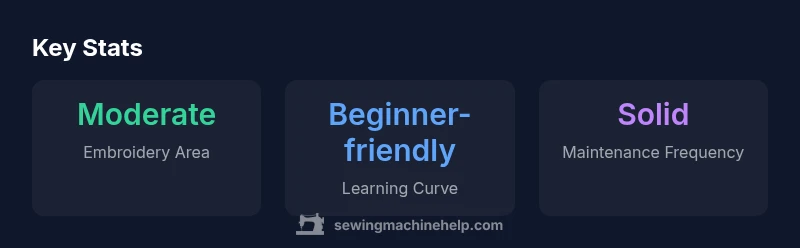
- Embroidery area is adequate but not expansive
- Occasional software limitations for design transfers
Solid mid-range pick for beginners and hobbyists
The Brother SE1900 offers a forgiving learning curve and versatile features for sewing and embroidery in one unit. It’s a practical entry point with room to grow, though power users may outgrow its capabilities. For most home projects, it remains a reliable, value-focused choice.
Your Questions Answered
Is the Brother SE1900 suitable for complete beginners?
Yes. It combines guided features with a gentle learning curve, making it accessible for beginners. Start with basic sewing tasks, then gradually explore embroidery designs as you gain confidence.
Yes, it’s beginner-friendly. Start with simple sewing and a few basic embroidery designs to build confidence step by step.
Can I import my own embroidery designs into the SE1900?
Yes. The machine supports import of designs via USB, which allows you to expand beyond the built-in library. This makes customization easy as you grow your skills.
Yes, you can import designs via USB to expand your options.
What kind of projects is the SE1900 best suited for?
Great for personalizing clothing, home décor items, and gifts. It shines on small-to-medium projects where you want a personal touch without heavy industrial workloads.
Best for personalized gifts, home décor, and light-to-moderate projects.
How does maintenance impact long-term reliability?
Regular cleaning, needle changes, and proper bobbin care help maintain consistent performance. Like most machines, regular upkeep reduces the risk of jams and tension issues.
Keep it clean and serviced, and it will perform reliably for many projects.
Is the embroidery area large enough for fun, creative projects?
The embroidery area is adequate for common hobby projects but not expansive for large-scale designs. It’s sufficient for learning and most personalized items.
It’s enough for typical hobby designs, not for large wall-art embroidery.
Should I consider an upgrade if I want more advanced features?
If you anticipate frequent, complex embroidery work or advanced editing, explore higher-tier models. For steady growth, the SE1900 can serve as a foundation before upgrading.
If you expect advanced edits or bigger projects, consider a higher tier later.
The Essentials
- Start with simple projects to learn both modes
- Embrace the embroidery workflow to build design skills
- Expect a gentle learning curve with practical features
- Consider alternative models if you need a larger embroidery area
- Sewing Machine Help backs practical, gradual growth