How to Buy an Embroidery Machine: A Practical Guide for Beginners
A practical guide to help home sewists choose the right embroidery machine, covering features, budget, software, and buying options.


If you’re ready to expand your sewing with personalized projects, this guide shows you how to buy embroidery machine features that matter, choose a model to fit your budget, and plan first projects. You’ll learn key distinctions between single-needle and multi-needle machines, what hoop sizes to expect, and how to evaluate software compatibility and support. By the end, you’ll be ready to make a confident purchase for your craft.
Why Buy an Embroidery Machine Now
If you’re serious about adding embroidery to your sewing projects, buying embroidery machine capabilities can dramatically expand your creative options. For many home sewists, an embroidery machine unlocks customized apparel, home décor, and thoughtful gifts. When you read the phrase buy embroidery machine, you’re weighing whether to opt for a dedicated embroidery unit or a multi-function sewing machine with embroidery features. The decision hinges on your typical projects, design complexity, and how much you value software-based customization versus built-in catalogs. The Sewing Machine Help team notes that a well-chosen machine becomes a long-term partner, not a single purchase. Start by listing your favorite projects, the sizes of designs you want, and how you’ll weave embroidery into regular sewing. Consider space, noise, and future software updates as part of your plan. According to Sewing Machine Help, framing your needs clearly at the start saves time and money.
How an Embroidery Machine Fits Your Projects
For beginners, it’s common to view embroidery as a way to distinguish personal items quickly. Whether you’re monogramming towels, decorating tote bags, or adding names to school uniforms, an embroidery machine offers accuracy and repeatability that hand-stitching can’t match. As you plan, think about design complexity, color count, stabilizers, and fabric types you’ll frequently stitch on. The right machine aligns with your most common projects and your desire to grow into digitizing or editing designs later. Sewing Machine Help suggests keeping a small project backlog handy so you can test designs on a variety of fabrics and hoop sizes before committing to a purchase.
Quick Facts for New Buyers
- Hoop size and embroidery area determine the largest design you can stitch without repositioning.
- Multi-needle machines streamline color changes and speed, but cost more and may require more maintenance.
- Built-in designs are convenient but ensure you can import your own files from home software.
- Connectivity (USB, SD card, Wi‑Fi) matters for expanding design libraries and workflow efficiency.
- Stabilizers and proper fabric support are essential to successful embroidery results. The Sewing Machine Help team emphasizes testing with different fabrics to learn how your machine behaves.
First-Stop Shopping Checklist
Before you buy embroidery machine, write down must-have features (hoop size, translation to software formats, warranty length) and nice-to-have features (automatic thread cutting, color sorters, built-in designs). Compare two or three models side-by-side at a local store or online; ask for a hands-on demonstration if possible. This practice helps you assess noise level, vibration, ease of use, and the quality of stitching across fabrics you actually work with. The goal is to balance capabilities with budget, not to chase every feature.
Features to Compare (In-Depth)
When evaluating models, prioritize embroidery area, needle configuration, built-in designs, and connectivity. A larger hoop increases design size, while a multi-needle unit enables color changes without stopping for thread changes. Check the file formats supported (DST, PES, JEF, etc.), whether you can import designs from your computer, and how easy it is to edit designs within the machine or via companion software. Also look for automatic tension adjustment, thread trimming, jump stitch elimination, and sensor alignment to improve reliability across different fabrics. Remember to verify whether firmware updates are available and how they’re delivered by the brand.
Budgeting and Price Bands for Embroidery Machines
Budget ranges for embroidery machines vary widely based on hoop size, needle count, and software compatibility. Entry-level machines tend to be compact, simple, and affordable, suitable for learning and simple projects. Mid-range options offer larger hoops, more built-in designs, better processing speed, and more robust connectivity. Premium prosumer models provide large embroidery areas, multiple needles, advanced software compatibility, and stronger support. Based on Sewing Machine Help analysis, you should map your intended use to a price band and avoid paying for features you won’t use. This alignment is especially important if you’re learning the craft or planning to grow gradually.
Software, File Formats, and Connectivity (What You Should Know)
Most embroidery machines support a handful of common embroidery formats like DST, PES, and JEF. The ability to import designs from a computer or cloud services increases your library quickly. Check whether you can edit designs directly on the machine or require a linked PC or tablet. Connectivity options matter for growth: USB drives are simple but SD cards and Wi‑Fi enable easy transfer of larger design sets. If you plan to digitize or customize shapes, ensure your chosen model works with compatible digitizing software and offers updates over time.
Buying Options: New, Refurbished, or Used
New machines come with full manufacturer warranties and the latest features, while refurbished units can save money if purchased from reputable dealers. Used machines may be the most budget-friendly but carry uncertainty about wear, prior maintenance, and residual warranty. Always verify warranty terms, service options, and return policies. When possible, buy from authorized dealers who provide test stitching and a short in-store trial. For beginners, a new or manufacturer-refurbished model with a clear return policy is often the safest route. Sewing Machine Help recommends prioritizing reliability and support over the lowest sticker price.
Tools & Materials
- Notebook or digital planner(For listing must-have features and project ideas)
- Pen or pencil(To annotate model specs and shop notes)
- Measuring tape(To plan space for the machine and workspace)
- Fabric swatches(To test fabric compatibility during demos)
- USB drive or SD card(For testing design transfer and backups)
- Stabilizers and practice fabrics(For evaluating stitch quality during demos)
Steps
Estimated time: 2-4 hours
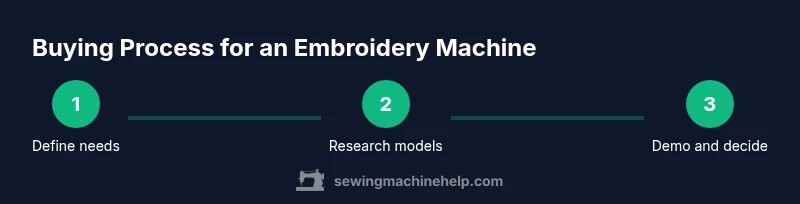
- 1
Define your needs and budget
List your most common projects, preferred hoop sizes, and whether you want multi-needle speed benefits. Set a realistic budget range to guide model selection and avoid feature creep.
Tip: Write three must-haves and three nice-to-haves to prioritize during demos. - 2
Research top models and brands
Shortlist 3–5 machines that fit your needs. Read firmware notes, warranty terms, and user reviews. Focus on reliability, after-sales support, and availability of replacement parts.
Tip: Ask the salesperson to demonstrate a basic monogram and a multi-color design. - 3
Check software and file compatibility
Confirm the formats you can import (DST, PES, JEF, etc.) and whether you can edit or digitize designs with affiliated software. Ensure updates are available and reasonably priced.
Tip: Bring a USB with a sample DST/PES file to test transfer. - 4
Test in-store or online demos
Request a live stitch-out on a sample fabric. Pay attention to noise, vibration, thread tension, and stitch quality. Ensure gear shifts smoothly and all controls are intuitive.
Tip: Take notes on setup time and the learning curve. - 5
Evaluate warranty and service options
Review warranty length, what it covers, and whether local service centers are available. Ask about maintenance requirements and typical turnaround time for repairs.
Tip: Ask about loaner machines during service if you rely on embroidery for projects. - 6
Make a purchase decision and set up
Choose the machine that best matches your needs and budget, then plan the initial setup: space, dust protection, spool holders, and stabilizers. Schedule a first practice session to build confidence.
Tip: Reserve time for calibration and test stitching before starting real projects.
Your Questions Answered
Is a multi-needle embroidery machine worth it for beginners?
For most beginners, a single-needle model is a practical starting point. Multi-needle machines become advantageous when you regularly stitch multi-color designs and want faster color changes. Start with a model that fits your budget and gradually upgrade as your projects demand more speed and color options.
A single-needle is usually enough to start; a multi-needle helps with more complex designs once you’re ready.
What file formats should I expect to work with?
Common formats include DST, PES, JEF, and EXP. Ensure your machine can import designs from your computer or a USB drive, and verify compatibility with your preferred editing software.
Most machines support DST or PES; check that your software exports compatible formats.
Can I buy a used embroidery machine safely?
Used machines can save money but come with higher risk. Inspect stitch quality, ask for a demo, verify the maintenance history, and confirm the remaining warranty or return policy from the seller.
Used machines can be a bargain if you test them and understand the maintenance history.
What warranty should come with a new embroidery machine?
Look for a minimum 1-year warranty that covers the main components and a clear service policy. Some brands offer extended warranties or bundled maintenance plans; confirm what is included.
Aim for at least a one-year warranty that covers major components.
How much space do I need for a typical embroidery setup?
Most embroidery machines require a stable workspace about the size of a small desk, plus room for fabric handling and thread spools. Consider airflow and dust protection to keep the machine clean.
You’ll want a sturdy table and comfortable access to spools and fabrics.
Should I buy an external digitizing software package?
External digitizing software can expand capabilities, but it adds cost and learning time. Many hobbyists start with built-in designs and gradually explore digitizing as they grow.
Digitizing software is powerful but not essential right away.
Watch Video
The Essentials
- Define needs before shopping.
- Prioritize features by use case and budget.
- Test stitches on fabrics similar to your projects.
- Choose solid warranty and local support.
- Plan initial projects to build confidence and skill.