Janome HD3000: Setup, Care, and Troubleshooting Guide
Explore the Janome HD3000 with step-by-step setup, threading, needle installation, tension basics, and troubleshooting tips. Practical care and maintenance help home sewists keep this heavy-duty machine running smoothly.


You will learn how to set up the Janome HD3000, thread it correctly, install a needle, thread the bobbin, and run a basic test stitch. This guide covers basic maintenance, common tension issues, and troubleshooting tips to keep the heavy-duty machine running smoothly. Whether you're new to sewing or upgrading from a basic model, these steps help you avoid jams and skipped stitches.
Overview of the Janome HD3000
The janome hd3000 is a sturdy, user-friendly, mechanical sewing machine designed for home sewers who want reliable, consistent stitches on a variety of fabrics. Its heavy-duty metal frame minimizes vibration, which translates to steadier feed and cleaner seams. According to Sewing Machine Help Team, this model balances simplicity with durability, making it an excellent choice for beginners who want a long-term partner in their sewing journey. The HD3000 supports a wide range of stitches, lever controls for tension and stitch length, and a robust presser foot system. When you understand its core design and controls, you’ll enjoy fewer jams and more confident stitching on projects ranging from hemming to light denim. For best results, always consult the manual and keep the machine clean after projects to maintain performance over time.
Brand guidance and practical tips are essential for maintaining consistency. Sewing Machine Help’s analysis emphasizes practicing with scrap fabric to learn tension and stitch balance before tackling a real project. The HD3000’s solid build encourages experimentation, yet care should be taken to avoid forcing fabric when stitching heavy layers. Regular cleaning and proper needle selection are key to sustaining performance across seasons and fabrics.
Why the HD3000 Appeals to Home Sewists
The Janome HD3000 blends a feel of professional quality with approachable controls. Its metal frame and smooth, direct-drive mechanism deliver stable stitching on a wide range of materials, from cottons to denim. Home sewists appreciate the intuitive threading path and clearly labeled controls, which reduce setup time and errors.
From a community perspective, Sewing Machine Help notes that the machine shines in everyday projects, mending, and learning sessions. The HD3000’s presser foot system accommodates standard feet and a few specialty feet, improving versatility without overwhelming beginners with too many options. Regular practice and a calm setup routine can dramatically improve your results, and this model rewards consistency over speed when you’re learning.
Setup basics: threading, needle, and bobbin installation
Getting the basics right creates a solid foundation for every project. Start with a clean table, good lighting, and a fresh needle matched to your fabric. Install a standard universal needle in the correct orientation to avoid skipped stitches and fabric snags. Wind and insert the bobbin properly, ensuring it spins clockwise and sits snugly in its case. Threading the HD3000 follows a simple path through the guides and tension discs—slowly and with attention to each guide—to maintain correct thread tension and minimize tangling. After threading, do a quick stitch on scrap fabric to confirm balance and thread flow before starting an actual project.
When you follow these steps, you’ll reduce common issues like thread bunching and loose loops. Sewing Machine Help emphasizes testing with a variety of thread types and fabrics to understand how the machine behaves under different conditions. Always unplug the machine before replacing needles or accessing the bobbin area, and refer to the manual for the exact needle size recommendations for woven and knit fabrics.
Understanding the threading path on the HD3000
The HD3000’s threading path is designed to minimize guesswork. Start at the thread spool, route through each thread guide, then down into the tension discs. The needle bar must receive thread from the upper thread path, and the bobbin thread feeds from underneath. Keeping the thread taut as you pass through each guide helps prevent slack stitches and uneven tension. If you encounter bird-nesting or looped stitches on the top side, re-check the tension and rethread from the beginning. A calm, methodical approach saves time and materials in the long run.
For visual learners, the manual and Sewing Machine Help’s walkthroughs provide clear diagrams that illustrate the exact path. If your fabric is slippery or bulky, slow down and guide the fabric with even pressure while maintaining a steady feed. Consistency is more important than speed when you’re perfecting your threading workflow.
Tension and stitch quality explained
Tension balance is the heart of stitch quality. If stitches pull too tight on the top, the fabric pucker appears; if the bottom thread shows on the top, tension is too loose. The HD3000 offers adjustable top tension and stitch length controls to adapt to different fabrics. Start with mid-range tension and loosen or tighten in small increments as you observe the stitch balance on test fabric. Always test your settings on a scrap piece before sewing a final seam. A well-balanced stitch lies flat and feels steady to the touch on both sides of the fabric.
Sewing Machine Help notes that a calm setup and consistent feed produce the best results. With practice, you’ll learn to anticipate changes in tension as you switch fabrics, hems, or seam allowances.
Maintenance and care to extend life
Keeping the HD3000 clean and lubricated extends its life and preserves stitch quality. Regularly remove lint from the bobbin area and under the presser foot, and wipe away dust from the exterior finishes. The HD3000 uses standard maintenance routines found in most household machines: remove lint, check for loose screws, and replace any worn presser feet. Use light machine oil only where the manual specifies, avoiding belts, gears, and belt-driven areas. A clean machine runs smoother, reduces friction, and minimizes skipped stitches.
Sewing Machine Help highlights that a monthly quick-clean routine is often enough for moderate usage, with deeper servicing reserved for heavy projects or long storage breaks. Consistency in cleaning pays off in reliable performance and fewer performance dips over time.
Common issues and troubleshooting quick fixes
Common issues include skipped stitches, jammed feed, thread bunching at the needle plate, and uneven feed dogs. Start troubleshooting by rechecking threading, needle type and size, and bobbin placement. If top thread tension is off, readjust gradually and re-test. If fabric feeds poorly, verify presser foot pressure and feed-dog movement. For stubborn issues, rethread from scratch and test with fresh thread on scrap fabric before resuming a project. Sometimes simply reseating the needle or repositioning the bobbin can fix a stubborn stitch inconsistency.
Sewing Machine Help recommends a patient, methodical approach: change one variable at a time to isolate the cause. Document your settings for future reference, especially when you switch fabrics or projects.
Accessories, needles, and presser feet compatibility
Choosing the right presser feet and needles expands what you can accomplish with the HD3000. The machine uses snap-on presser feet, which makes swapping feet quick and simple. For woven fabrics, use a sharp needle size around 14/90; for denim, bump up to 16/100 with a strong needle. For delicate knits, consider a ballpoint needle to minimize fabric snags. Stock up on a basic set of feet including a walking foot, zipper foot, and buttonhole foot to cover common tasks. Always ensure the needle is compatible with your fabric and the stitch you intend to sew.
As you build your toolkit, keep a log of which feet you use for specific projects. This practice helps you quickly select the right setup for future textiles, improving efficiency and results.
Safety and external resources you can refer to
Safety comes first with any mechanical tool. Always unplug the machine before changing needles or threading, and keep fingers clear of the needle area during operation. Use proper lighting and a stable work surface to avoid accidents. For broader safety practices and machine care guidelines, refer to authoritative sources from government and educational institutions. The U.S. Consumer Product Safety Commission provides general guidance on equipment safety, while OSHA offers workplace safety principles that apply to home studio setups. For measurement and standards context, NIST provides foundational information on accuracy and reliability in tools and devices. Incorporating these safety practices helps you sew confidently and responsibly.
If you want more targeted, model-specific guidance, combine the external resources with your HD3000 manual and trusted online tutorials. A patient, steady approach will yield consistently good results across projects.
Getting started with projects on the HD3000
With setup complete, you can begin with simple projects and progressively increase complexity. Start with hemming or a basic seam on scrap fabric before moving to a garment or home decor item. Maintain a consistent seam allowance and backstitch at the beginning and end of each line to secure threads. Keep a small scrap note of fabric types and settings that worked best, and revise your setup as you gain experience. The goal is steady progress and steady stitches, not speed. As you practice, you’ll develop muscle memory for threading, needle changes, and fabric feeding that makes every project feel more enjoyable and less technical.
Tools & Materials
- Janome HD3000 sewing machine(Ensure it powers on and has the presser feet attached.)
- Power cord and foot pedal(Inspect for wear; replace if any damage appears.)
- Owner's manual(Keep handy for model-specific guidance and charts.)
- Presser feet (standard, zipper, buttonhole)(Snap-on feet for quick changes.)
- Needles compatible with woven fabrics (size 14/90 or 16/100)(Have spares; replace often to maintain accuracy.)
- Spool of all-purpose polyester thread (neutral colors)(Use good-quality thread for consistent tension.)
- Bobbin for Janome HD3000(Keep a few on hand for quick changes.)
- Small brush or lint brush(Helpful for cleaning lint from the bobbin area.)
- Screwdriver for needle plate screws(Only if you plan to adjust screws under the needle plate.)
Steps
Estimated time: 30-45 minutes
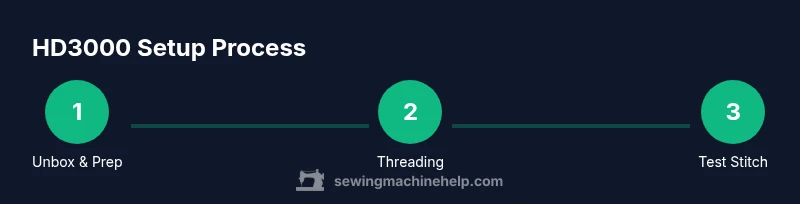
- 1
Unbox and prep the machine
Set the HD3000 on a stable surface, remove packaging, and check accessories against the manual. Plug in power after confirming the motor switch is off. Ensure the needle plate area is clean before starting.
Tip: Take a moment to read the quick-start section of the manual for model-specific tips. - 2
Install the needle correctly
Insert a sharp needle in the proper orientation so the flat side faces the back. Tighten the needle screw securely without over-tightening. Replace dull needles to avoid skipped stitches.
Tip: Use the needle size recommended for your fabric type. - 3
Wind and install the bobbin
Wind a fresh bobbin with thread and place it in the bobbin case, ensuring it spins clockwise. Thread the bobbin path as indicated in the manual and pull the thread to secure it.
Tip: Always use a bobbin wound evenly and avoid overfilling. - 4
Thread the upper path
Follow the thread path through guides and tension discs with a smooth, taut motion. Hold the thread as you guide it to prevent slips through the tension area.
Tip: If the thread snags, stop and re-thread from the start. - 5
Test stitch on scrap fabric
Choose a basic straight stitch, lower the presser foot, and sew a few inches on scrap material. Check stitch balance on both sides and adjust top tension if needed.
Tip: Make small tension tweaks and test again to avoid over-adjustment. - 6
Basic maintenance after sewing
Remove lint from the feed dog area and bobbin chamber. Wipe the exterior, and oil only where the manual specifies. Store with the presser feet attached and keep dust covers on when idle.
Tip: Develop a quick-clean routine to stay ahead of build-up.
Your Questions Answered
Is the Janome HD3000 suitable for beginners?
Yes. The HD3000 offers straightforward controls, reliable stitching, and a sturdy build that helps new sewists develop good habits. Start with simple projects and practice threading, fabric feeding, and basic seams.
Yes, it’s beginner-friendly. Start with simple projects to build confidence while mastering threading and stitching.
What needle size works best with the HD3000 for common fabrics?
For most woven fabrics, a size 14/90 needle is a solid choice. For medium-weight fabrics like denim, use a size 16/100. Adjust needle type and size based on fabric texture and stitch type.
For most fabrics, start with size 14/90, and move to 16/100 for heavier materials.
Why do I get skipped stitches on the Janome HD3000 and how do I fix them?
Skipped stitches are often caused by an improperly inserted needle, incorrect thread path, or misadjusted tension. Re-thread from the start, reinsert a fresh needle, and test on scrap fabric. If needed, adjust tension in small increments and re-test.
Skip stitches usually mean rethread, replace the needle, and verify tension with a test stitch.
Should I oil the Janome HD3000 regularly?
Oil is only necessary in the places specified by the manual. For most home use, routine cleaning is sufficient, and full lubrication is only required during deeper servicing or after very heavy use.
Oil only where the manual says; routine cleaning is usually enough for everyday use.
How do I adjust tension if stitches look uneven?
Begin with a mid-range top thread tension and test on scrap fabric. If the top thread is too tight or too loose, make small adjustments and retest. Ensure the bobbin is correctly wound and seated.
Start with mid-range tension and fine-tune in small steps after testing.
What accessories come with the HD3000 and what should I consider buying next?
Essential accessories include a walking foot, zipper foot, and buttonhole foot. These, plus a small kit of needles and threads, expand your sewing capabilities on the HD3000.
Consider adding a walking foot and zipper foot for more versatile projects.
Watch Video
The Essentials
- Learn the HD3000 threading path and needle installation.
- Maintain balance between top and bobbin tension for clean stitches.
- Establish a routine cleaning plan to extend machine life.
- Use the right presser feet and needles for each fabric.
- Test stitches on scrap fabric before final projects.