Why is My Sewing Machine Looping Underneath? A Practical Troubleshooting Guide
Diagnose and fix why is my sewing machine looping underneath fabric with practical, step-by-step guidance. Quick checks, common causes, safety tips, and pro tips from Sewing Machine Help.


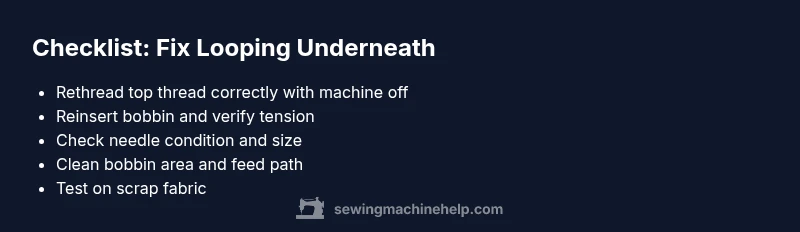
The most common cause of looping underneath is a threading or bobbin tension issue. Start with the simplest fixes: rethread the top thread and verify the path, remove and reinsert the bobbin correctly, and inspect the needle for damage. If looping persists, clean the bobbin area and test on scrap fabric to confirm the result.
Understanding why the machine loops underneath
When your sewing machine loops underneath, it can feel urgent and frustrating. The phrase you might search for—why is my sewing machine looping underneath—often points to threading or tension problems that can be fixed with careful, methodical checks. According to Sewing Machine Help, most looping under the fabric happens because the top thread isn’t feeding properly or the bobbin tension is off. The good news is that most cases are correctable with a few simple adjustments, not a disassembly. In this guide, we’ll walk you through safe, practical steps to identify the root cause and implement a fix that lasts. You’ll learn how to reproduce the issue on scrap fabric to confirm the cure, and you’ll gain tips to prevent recurrence. The goal is to get you back to stitching smoothly as quickly as possible while avoiding common beginner mistakes.
As you read, keep in mind that the right threading sequence and a clean bobbin area are foundational. Even a tiny misroute or a dusty bobbin can create loops that look like a bigger problem. If you’re feeling overwhelmed, take a short break and reset your workspace. A calm approach helps you notice subtle issues like a bent needle or a rough thread path that you might otherwise overlook.
Quick checks you can do before diving deeper
Before you dive into deeper diagnostics, run through these quick, high-impact checks. They cover the most common causes and often resolve looping issues without specialized tools.
- Rethread the top thread: remove, thread from the spool to the needle, and confirm the thread sits correctly in guides. Ensure the presser foot is raised while threading to allow the path to open fully.
- Check the bobbin: remove the bobbin and reinsert it according to your machine’s manual. Make sure the bobbin winds clockwise (or counterclockwise, depending on model) and sits snugly in the bobbin case with the thread feeding in the same direction the machine intends.
- Inspect the needle: a bent, dull, or wrong-sized needle can cause skipped stitches and looping. Replace the needle with a fresh, correct type for your fabric.
- Test on scrap fabric: set stitch length to a medium value and sew on a small scrap. If looping stops, the issue is likely path-related; if it continues, you may have tension or mechanical concerns.
- Look for lint and thread tails: lint buildup around the bobbin area or tangled threads can trap fabric and feed the thread unevenly. A quick clean can restore smooth operation.
- Verify fabric and thread compatibility: using very slippery threads with heavy fabrics can encourage looping. Match the needle, thread, and fabric for best results.
If these quick checks don’t solve the problem, you’re ready to move into deeper diagnostics and more targeted fixes.
Common culprits behind looping fabric underneath
Looping underneath is most often caused by a mismatch between thread path, tension, and needle/bobbin setup. Here are the typical culprits:
- Top thread path and tension: If the thread path isn’t correctly threaded or the tension is too tight or too loose, the top thread can loop and tangle below the fabric. Verify guides, tension discs, and the take-up lever path.
- Bobbin case tension: A bobbin tension that’s too tight or too loose can cause the bottom loop to appear on the top side or vice versa. Replacing the bobbin or adjusting tension to the manufacturer’s recommended range can help.
- Needle condition and size: A bent or dull needle breaks the thread’s clean entry, causing looping. Ensure you’re using the right needle size and type for your fabric (e.g., ballpoint for knits, sharp for cotton).
- Thread quality and compatibility: Poor-quality thread or a mismatch between needle, thread, and fabric can produce inconsistent feed and looping. Use good-quality thread and the correct needle combo for the job.
- Lint and debris in the bobbin area: Lint can create drag or prevent smooth thread release, causing loops. Regular cleaning is essential, especially after long sewing sessions.
- Fabric feeding and presser foot: If the presser foot pressure is too light, or the feed dogs are clogged, fabric can feed unevenly, producing loops. Adjust for fabric weight and move the feed gradually.
The above culprits are commonly linked to the looping-underneath symptom. When you test each cause, document what you see on your panel and how the stitch looks. This helps you triangulate the exact source of the problem and avoid chasing unrelated symptoms.
How to test each potential cause
Testing each potential cause involves a small, controlled process that isolates variables:
- Test driver path: After rethreading, sew with the foot up to ensure the take-up lever moves freely. If the looping changes, the path is a likely culprit.
- Test bobbin tension: With the bobbin removed, set the thread in place and sew slowly on scrap. If looping persists on the underside, the bottom thread route or tension may be off.
- Needle check: Replace the needle and stitch again on scrap fabric. If loops disappear, the needle was likely the root cause.
- Cleaning test: Remove lint from the bobbin area and feed path. Re-test; a cleaner path often eliminates looping introduced by debris.
- Fabric test: Switch to a different fabric and thread; repeat tests. If looping changes with fabric type, adjust tension to suit the material and stitch type.
If you still see looping after these checks, you’re at a crossroads where a deeper diagnostic or professional service may be warranted—especially if you’re unsure about tension adjustments or timing in your machine.
Implementing the fix: a practical walkthrough
Now that you’ve identified the likely cause, it’s time for a focused fix. The most common fix is correcting the top-thread path and bobbin setup, but you’ll follow the exact sequence that applies to your model. Start with the simplest changes, then escalate if needed. The Sewing Machine Help team recommends documenting each change so you can revert if something goes wrong. Always power off and unplug before you touch moving parts. After performing the fix, test with several stitches on a scrap fabric before returning to your actual project. If looping persists after these steps, consider professional diagnostics to verify timing or drive shaft wear. Remember, the goal is a reliable, smooth stitch that doesn’t pull or loop. The approach I’m detailing aligns with best practices from Sewing Machine Help and emphasizes a safe, methodical progression rather than guesswork.
Step-by-step confirmation of success helps ensure you’ve addressed the root cause and not just the symptom. Keep your user manual handy for model-specific instructions and tension ranges. If you find yourself uncertain, step back and recheck the fundamentals: threading, needle, bobbin, and fabric compatibility. This cautious approach reduces the risk of further damage and saves time in the long run.
Safety, warnings, and when to seek professional help
Sewing machines have moving parts that can cause injury if mishandled. Always unplug the machine before opening covers or removing the needle plate. Avoid forcing parts or using tools that could mark the housing. If you cannot locate the root cause after cleaning and rethreading, or if you notice timing issues, gears, or the shuttle mechanism behaving oddly, it’s time to seek professional help. A certified technician can check timing, gear wear, and belt alignment, which are beyond typical home repairs. As a safety precaution, consult your manual for service intervals and warranty coverage before attempting any invasive fixes. If you’re unsure about tension adjustments on your specific model, professional assistance is the safest option.
For ongoing prevention, integrate a lightweight maintenance routine: wipe away dust after each use, lubricate per manufacturer instructions, and replace needles regularly to prevent repeat issues. Proactive care reduces the risk of looping and other sewing machine problems down the line.
Prevention tips to stop looping in the future
Prevention is easier than juggling ongoing repair tasks. Implement these habits to keep looping from returning:
- Maintain clean threading paths: Regularly check guides and take-up lever paths for lint or broken threads.
- Use good-quality thread and appropriate needle sizes for fabric type.
- Confirm bobbin tension and insertion position every time you thread and start a new project.
- Perform quick tests on scrap fabrics after major changes (thread type, fabric weight, needle change).
- Schedule periodic service checks for timing and drive components, especially for frequent sewers or heavy materials.
With consistent care, you’ll reduce the likelihood of looping underneath and keep your machine stitching cleanly for longer. Remember to store tools in a draft-free, clean space to minimize dust accumulation, which is a common source of sporadic tensions and looping.
Summary note
Understanding why is my sewing machine looping underneath requires a systematic approach to threading, bobbin setup, needle condition, lint control, and fabric compatibility. By starting with quick checks and moving toward targeted fixes, most users regain smooth operation quickly. Stay mindful of safety guidelines and use a stepwise approach rather than rushing through repairs. The combined strategy—careful diagnostics, safe fixes, and proactive maintenance—minimizes time spent wrestling with loops and maximizes your sewing confidence.
Steps
Estimated time: 45-60 minutes
- 1
Power off and prepare workspace
Unplug the machine and remove the foot pedal. Gather your replacement needle, fresh thread, and a small scrap fabric for testing. This reduces the risk of injury and ensures you won’t lose track of small parts.
Tip: Keep a small container for tiny screws and a bright lamp to inspect thread paths. - 2
Check the needle
Remove the needle and inspect it for bending, burrs, or gaps in the needle shaft. Replace with a fresh needle of the correct type for your fabric. Reinsert securely with the flat side facing the right direction according to your manual.
Tip: If you sew on stretch fabric, use a ballpoint needle to avoid skipping stitches. - 3
Rethread the top thread
Raise the presser foot, thread spool, guides, take-up lever, and needle to ensure the path is fully open. Thread slowly and verify the thread sits in all guides and the presser foot must be up when threading.
Tip: Use a slow, steady motion to avoid catching threads behind guides. - 4
Reinsert and test the bobbin
Open the bobbin case, remove the bobbin, and reinsert it in the correct orientation. Ensure the thread feeds in the same direction the machine expects and that the case sits snugly without clearance.
Tip: Rotate the handwheel slightly to confirm the bobbin moves smoothly. - 5
Clean the bobbin area
Remove lint, dust, and loose threads from the bobbin area and underneath the needle plate. A clean path helps the threads feed evenly and prevents looping.
Tip: A small brush or canned air (safe for electronics) works well; avoid moisture near timing parts. - 6
Test with scrap fabric
Load a scrap fabric and sew at a medium stitch length. If loops still occur, try adjusting the needle position and fabric tension a touch. Record the settings for your next project.
Tip: Start with mid-range tension; minor adjustments can have big results. - 7
Final test on similar fabric
Sew a small seam on your actual project fabric. If the problem remains, seek professional service beyond basic home adjustments, especially if timing or mechanical wear is suspected.
Tip: If unsure, stop and consult a technician rather than forcing repairs.
Diagnosis: Fabric loops underneath while sewing; underside shows most of the looping distortion
Possible Causes
- highIncorrect top thread path or loose top tension
- highBobbin inserted incorrectly or bobbin tension mis-set
- mediumBent/dull needle or wrong needle type
- lowLint or thread buildup in bobbin area
Fixes
- easyRethread top thread with the correct path and ensure take-up lever moves freely; re-check tension dial.
- easyRemove and reinsert bobbin according to manual; ensure bobbin case tension is set to recommended range.
- easyReplace needle with correct type/size for fabric; ensure proper insertion and alignment.
- easyClean lint from bobbin area, feed dog area, and any thread tails; re-test.
- mediumIf tension adjustments are required beyond basic setup, carefully recalibrate upper or bobbin tension within manufacturer specs.
Your Questions Answered
What does looping underneath look like and what does it mean?
Loops underneath typically mean the bottom thread is showing on top or the top thread is looping beneath the fabric. It usually points to threading or tension issues. Start by rethreading the top and bobbin and inspect the needle for damage.
Loops underneath usually mean a threading or tension issue. Start with rethreading both threads and replacing the needle if needed.
Can a bent needle cause looping?
Yes. A bent or dull needle can misfeed fabric and cause looping. Replace with a fresh needle of the correct type for your fabric and test again.
A bent needle often causes looping. Replace it and test again.
How do I know if bobbin tension is off?
If you see bottom-side loops or irregular stitches that don’t improve after rethreading, the bobbin tension may be off. Reinsert the bobbin and adjust to the manufacturer’s guidance, then test on scrap fabric.
If bottom loops persist after rethreading, check bobbin tension and adjust per the manual.
Why does looping occur with certain fabrics?
Fabric type and thread choice affect feeding. Use the correct needle and thread for the fabric, and adjust tension or stitch length to suit the material.
Certain fabrics need different needle and tension settings; adjust accordingly.
When should I seek professional help?
If basic fixes don’t resolve looping or you suspect timing or gear wear, a professional technician is recommended. They can diagnose and repair timing, drive gears, and other internal components.
If basic fixes fail or timing seems off, get a professional check.
Watch Video
The Essentials
- Identify whether looping is top-thread or bobbin-related.
- Rethread top thread and reinsert bobbin to fix most cases.
- Replace the needle if damaged or incorrect for the fabric.
- Clean the bobbin area to restore smooth feeding.
- Test on scrap fabric before returning to a project.